
Best Slim Power Bank with Built-in Cable and Multiple Ports
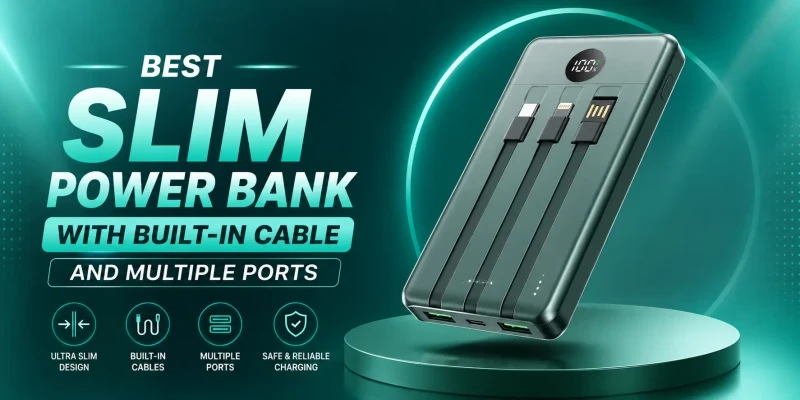
A decent power bank should make it easier to charge everything up without providing an additional cord for you to carry around. This is why slim power banks with built-in cables and multiple-port options are now a practical choice for everyday users who want portability, fast charging, and fewer accessories in their bags.
These power banks combine a compact design with built-in Type-C, Lightning, or Micro-USB cables, while extra USB-A or USB-C ports let you charge more than one device when needed. Depending on the model, you can also get fast charging from around 22.5W up to 65W, making them suitable for smartphones, earbuds, smartwatches, and other daily gadgets.
In this guide, we compare some of the best slim power banks with built-in cables available in Bangladesh, including options from Baseus, Foneng, and QCY. We look at battery capacity, cable type, charging speed, available ports, price, and which model is best for iPhone, Android, students, office use, and multi-device charging.
What Is a Slim Power Bank with Built-in Cable?
A slim power bank with a built-in cable is a flat, card-shaped battery pack with a thin, folded charging cable built into the casing itself. Instead of digging through a bag for a separate USB cable, you flip the built-in cable out and plug it straight into your phone. Most of these models keep a slim profile by using a lithium-polymer cell in a pouch format rather than the cylindrical cells found in bulkier power banks, which is also why they tend to weigh less for the same rated capacity.
"Multiple ports" refers to whichever additional USB-A or USB-C sockets sit alongside the built-in cable. A model with just the built-in cable can only charge one device at a time. A model with the built-in cable plus a USB-C and a USB-A port can charge up to three devices at once, assuming the total output is shared across them rather than delivered at full speed to each.
Why Choose a Power Bank with Built-in Cable and Multiple Ports?
- One less item to pack. A loose charging cable is easy to forget or misplace; a built-in one travels with the power bank by default.
- Faster to use. You do not need to untangle a cable from your bag before you can start charging.
- Covers more scenarios. A model with both a built-in cable and spare ports lets you charge your phone from the cable while a second device sits on the USB-A or USB-C port.
The trade-off is repairability. On most models, the built-in cable is soldered or fused into the casing and cannot be swapped out, which means a damaged built-in cable can shorten the life of the whole unit. It is worth treating the built-in cable a little more gently than you would a replaceable one, and picking a model with a separate port as a backup in case the cable ever fails.

Key Features to Check Before Buying
Battery Capacity
The mAh number printed on the box is the raw cell capacity, not what actually reaches your phone. Voltage step-down during charging loses roughly 20 to 30 percent of that energy as heat, so a 20,000mAh power bank delivers closer to 14,000 to 16,000mAh of usable charge. We cover the math behind this in more detail in our guide to real vs. advertised power bank capacity, and our 10,000mAh vs. 20,000mAh comparison if you are deciding between the two most common tiers.
Built-in Cable Type
Check whether the built-in cable is Type-C, Lightning, or Micro-USB before you buy. If your household has a mix of iPhones and Android phones, a triple-cable model saves you from buying two separate power banks.
Number of Output Ports
A single built-in cable is enough if you only ever charge one phone. Adding a USB-C or USB-A port on top of it lets you charge earbuds, a smartwatch, or a second phone from the same power bank. You should keep in mind that the total output wattage is split sensibly across ports rather than dropping to a trickle once a second device is plugged in.
Fast Charging Support
Look for USB Power Delivery (PD) or Quick Charge (QC) support, and check the wattage rating when you are buying for fast charging. You shouldn’t assume a higher mAh number means faster charging. We go through PD and QC standards in our fast charging power bank guide.
USB-C Input and Output
A Type-C port that supports both charging in and charging out is more useful day to day, since you can recharge the power bank itself and top up a device from the same port when you are not using the built-in cable.
Size and Weight
Slim, card-style models are built in such a way that they can be carried in a shirt pocket or the flat pocket of a backpack. If you need a laptop-capable power bank above 20,000mAh, expect a noticeably thicker, heavier unit. The slim category power banks generally top out around 20,000mAh before the form factor stops being genuinely slim.
Safety Protection
Overcurrent, overvoltage, short-circuit, and temperature protection should be standard on any power bank you buy, built-in cable or not. Our power bank safety guide and our piece on why power banks overheat both cover the warning signs worth watching for.

Best Slim Power Banks with Built-in Cable and Multiple Ports
The following power bank models are some of the most popular and well-reviewed ones in the slim category. All of them have built-in cables. Prices are subject to change, so please check current listings before making a purchase decision.
Model | Capacity | Built-in Cable | Ports | Total Maximum Output | Price (BDT) |
20,000mAh | Built-in Type-C | USB-C, USB-A | 22.5W | Tk 2,000-2,500 | |
20,000mAh | Built-in Type-C, | USB-C, USB-A | 22.5W | Tk 2,000-2,300 | |
20,000mAh | Built-in Type-C, Lightning, Micro-USB | USB-C, USB-A | 22.5W | Tk 2,000-2,500 | |
10,000mAh | Built-in Type-C | USB-C | 35W | Tk 2,300-2,700 | |
20,000mAh | Built-in Type-C | USB-C, USB-A | 45W | Tk 3,000-3,500 |
Shop Slim Power Banks at SMS Gadget
All the power banks in this guide are in stock at SMS Gadget, with genuine warranty coverage and nationwide delivery across Bangladesh. Visit our showrooms across Bangladesh to see a model in person, or order online through the product links above.
Best for iPhone Users
The Baseus Comet Series Triple Cable builds in a Lightning cable alongside Type-C and Micro-USB, so it works for an iPhone without needing a separate cable at all, and the 20,000mAh cell comfortably covers a couple of full charges.
Best for Android Users
Most current Android phones charge over USB-C, which makes the Baseus QPOW Pro Plus a great pick. Its built-in Type-C cable and 22.5W output line up with the fast charging most Android handsets already support.
Best for Students
For a lower price without giving up much, the Baseus Comet Series 22.5W offers the same capacity and cable convenience as the Pro Plus at a slightly lower cost, which suits the tight student budget.
Best for Office and Daily Carry
The Foneng PX137 keeps the 10,000mAh tier compact enough for a laptop bag's front pocket. It also provides 35W output fast charging that can charge a phone during an urgent meeting break.
Best for Charging Multiple Devices at Once
The QCY PB20A is the one to pick if you regularly charge more than one gadget at a time. Its built-in Type-C cable can handle your phone while the separate USB-A port covers earbuds or a smartwatch, and the 45W output is noticeably quicker than the 22.5W models above when charging a single device.
Built-in Cable vs Separate Cable Power Bank
- Built-in cable: nothing to forget or lose, but the cable is not replaceable if it wears out or frays.
- Separate cable: you can swap a damaged cable for a few hundred taka, and you are not limited to whichever connector is molded into the unit.
A middle ground is a model with a built-in cable plus a spare port, which is what most of the picks above offer: you get the convenience day to day, and a fallback port if the built-in cable ever gives out.
Single-Port vs Multi-Port Power Bank
A single-port power bank is simpler and usually a little cheaper, and it is fine if you only ever charge one device. A multi-port model costs slightly more but pays for itself the first time you need to top up a phone and a pair of earbuds at the same time. If you regularly travel with more than one device, the extra port is worth paying for.

Common Mistakes to Avoid
- Choosing a model by mAh alone, without checking the built-in cable type against your own phone.
- Ignoring output wattage and assuming a bigger battery automatically charges faster.
- Buying an unbranded model with a weak built-in cable that frays within weeks.
- Skipping the warranty. A built-in cable that fails outside warranty usually means the whole unit is done.
If you want to be sure you are buying a genuine unit rather than a knockoff, our guide on how to spot a fake power bank walks through the checks worth doing before you pay.
Frequently Asked Questions
Yes, for most people. You save the hassle of carrying a separate cable, and the models on this list still include at least one extra port as a backup if the built-in cable ever fails.
It depends on what you need. A slim power bank is easier to carry and usually enough for a phone and small accessories, but a bulkier power bank above 20,000mAh will hold more charge and may support laptops, which a slim model generally will not.
Yes, several models here support 22.5W to 45W through the built-in cable itself, which is enough for standard fast charging on most current phones.
Yes, if it has a built-in cable plus at least one extra port. Total output is shared across whatever is plugged in, so charging two devices at once will be slower than charging one alone.
Yes, as long as the model includes an MFi-certified Lightning cable or a certified Type-C to Lightning setup. The Baseus Comet Series Triple Cable listed above includes a built-in Lightning option.
Check if the built-in cable type is compatible with your phone, confirm the output wattage against your phone's fast charging support, and check for basic overcurrent and temperature protection before deciding on capacity.