
How to Charge a Power Bank Properly (Step-by-Step Guide)
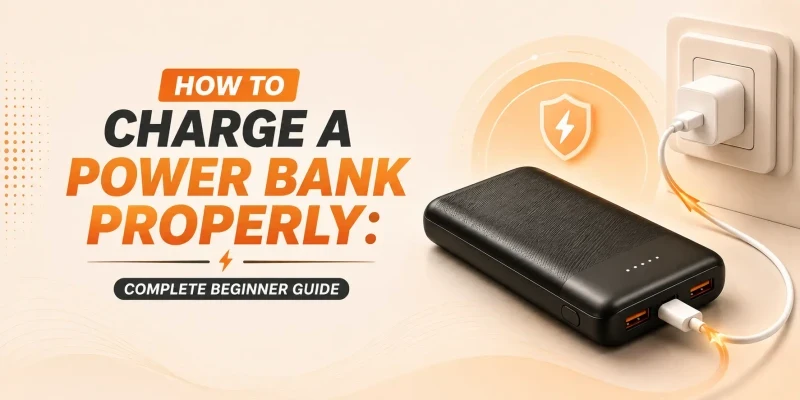
Charging a power bank properly comes down to a few habits: use a cable and adapter that match its rated input, unplug it once it reads full instead of leaving it topped up for days, and avoid running it down to 0% every single time. You don't need to fully charge a new power bank before using it for the first time, and charging it overnight occasionally won't damage it as long as the unit has basic overcharge protection, which almost every power bank sold today does. The habits that actually matter for long-term battery health are avoiding heat, avoiding full drains, and not leaving it at 0% or 100% in storage for weeks at a time.
A guide for charging a power bank? It might sound silly at first, but there are some things most of us don’t know about when it comes to charging devices properly. Sure, you can just connect your power bank to an outlet using a cable whenever you want, but that doesn’t mean it’s the most efficient thing to do. So, here we are, with an article to guide you through the proper and efficient way of charging your power bank that will keep your batteries healthy for a long time.
What You Need to Charge a Power Bank
Charging Cable
Use the cable that came with the power bank if you still have it, or one rated for the same connector and current. A cheap and thin cable can bottleneck charging speed even if your adapter is capable of more.
Wall Adapter
Any USB wall adapter will charge a power bank, but how fast the power bank will charge depends on the adapter's wattage. A basic 5W phone charger will work, just slowly; an 18W or higher adapter cuts that time significantly.
Input Port Type
Most power banks charge over USB-C or Micro-USB, and some older or budget models still use Micro-USB as the input while offering USB-C only as an output. Check which port on your unit is actually the input before plugging in, since charging one output port instead won't do anything.
Matching Input Wattage
Check the label near the input port for wattage or voltage/amperage, and try to use an adapter matching that value for optimal charging rate. Going higher won't damage a power bank with proper protection circuitry, but it also won't charge faster than the power bank's own input limit allows. Our fast charging power bank guide covers how USB PD and Quick Charge negotiate this.
How to Charge a Power Bank Step by Step
1. Connect the cable to the power bank's input port, not one of its output ports.
2. Plug the other end into a wall adapter and connect it to a power outlet.
3. Check the LED lights or digital display. Most power banks show progress through a sequence of blinking or solid lights, or a percentage on models with a screen.
4. Once the lights stop blinking and stay solid, or the display reads 100%, unplug it. Leaving it connected for a while longer won't hurt it, but there's no benefit either.

How Long Does a Power Bank Take to Charge?
Charging time depends on capacity and adapter wattage more than anything else. These are rough ranges for a power bank charging from empty, assuming a reasonably efficient unit:
Capacity | 10W Input | 18-20W Input | 30W+ PD Input |
5,000mAh | 2.0-2.5 hrs | 1.0-1.5 hrs | 0.7-1 hr |
10,000mAh | 4-5 hrs | 2-2.5 hrs | 1.3-1.7 hrs |
20,000mAh | 8-10 hrs | 4-5 hrs | 3-3.5 hrs |
30,000mAh | 12-15 hrs | 6-7 hrs | 4-4.5 hrs |
*These are approximate estimates from empty. They assume the power bank itself supports the stated input wattage. A higher-wattage charger will not make a power bank charge faster than its maximum rated input allows.
These numbers come from a simple calculation: a power bank's cell capacity in mAh, multiplied by its nominal voltage (usually 3.7V for lithium cells), gives the energy it can store in watt-hours (Wh). Charging circuits generally lose around 20-30 percent of the input as heat during conversion. So the time taken is longer than capacity divided by wattage alone. A 20,000mAh power bank holds around 74Wh, which means it needs closer to 90 to 95Wh of input energy to charge fully, and that's before accounting for a charger that can't sustain its rated wattage the whole way through. Real-world results will vary by brand and charging circuit, so treat the table above as an estimated range.

Should You Fully Charge a New Power Bank Before First Use?
No, and this is one of the more persistent myths carried over from older nickel-based batteries. Lithium-ion and lithium-polymer cells, which is what every modern power bank uses, don't have a memory effect and don't need a full charge cycle to "calibrate" before use. You can use a new power bank straight out of the box at whatever charge level it arrived with.
Can You Charge a Power Bank Overnight?
Occasionally, yes. Reputable power banks include overcharge protection that stops the flow of current once the battery becomes full. So leaving it plugged in overnight now and then won't push it past 100% or cause damage. That said, it's not necessarily a good habit. Unplugging it once it's done avoids unnecessary heat and trickle current, and it's simple enough to just do.
Can You Use a Fast Charger for a Power Bank?
Yes, as long as the power bank's input port supports fast charging. Plugging a 65W laptop charger into a power bank rated for 18W input won't push extra power through and won't cause damage. The power bank simply draws power at its own input wattage. Check the spec sheet or the text printed near the input port to confirm the supported wattage. Fast charging a power bank is safe by design, contrary to a common misconception.
Can You Use a Power Bank While It's Charging?
Most modern power banks support pass-through charging, meaning you can charge the power bank itself while it simultaneously charges a phone plugged into an output port. It's convenient, but it does generate more heat than charging or discharging alone, and it very slightly increases wear on the battery over time. It's fine for occasional use, but it's not something worth doing as a daily default if you can avoid it.

Common Power Bank Charging Mistakes
- Using a very weak adapter and assuming the power bank is broken because it charges slowly.
- Charging with a damaged or unbranded cable that can't reliably carry the rated current.
- Charging on a soft surface like a bed or sofa, which traps heat around the unit.
- Ignoring a power bank that feels noticeably hot instead of unplugging it to cool down.
- Draining the battery to 0% on a regular basis, which adds unnecessary wear over time.
How to Charge a Power Bank Safely
- Use a good-quality cable and adapter, ideally the one the power bank shipped with.
- Charge it on a hard, flat surface rather than bedding or upholstery.
- Keep it out of direct sunlight and away from other heat sources while charging.
- Unplug it and let it cool down if it ever feels too hot to hold comfortably.
Never charge a power bank that's swollen, cracked, or leaking. Our power bank safety guide and our piece on why power banks overheat go through the warning signs in detail.
How to Make Your Power Bank Last Longer
- Avoid draining it to 0% every time. Partial discharges are gentler on lithium cells over hundreds of cycles.
- Keep it away from heat and moisture, as they accelerate long-term capacity loss.
- If it sits unused for months, recharge it every so often rather than leaving it fully drained.
- Store it at roughly 40 to 60 percent charge if you won't use it for an extended stretch, rather than at 0% or 100%.
Why Your Power Bank Might Not Be Charging Properly
If you've followed all of the above and it's still charging slowly, stopping unexpectedly, or not charging at all, the cause is usually a bad cable, a weak adapter, a dirty port, or a battery that's deeply discharged from long storage. We cover each of these in full, along with fixes, in our power bank not charging guide.
Shopping for a New Power Bank?
If yours is on its last legs or you're buying your first one, SMS Gadget carries genuine, warrantied power banks from Baseus, QCY, Foneng, and Awei, with nationwide delivery and showrooms all across Bangladesh. Our 10,000mAh vs. 20,000mAh comparison is a good next read if you're still deciding on capacity.
Frequently Asked Questions
You should charge the power bank until the indicator lights are all solid or, if the unit has a digital display, charge till it shows 100%. The time for a full charge depends on the capacity and adapter wattage. That can take from about 1 hour for a small 5,000mAh unit using a fast charger to 8 hours or more for a 20,000mAh unit on a basic charger.
Yes, as long as the connector matches. A phone charger will charge a power bank fine, though a low-wattage one will take longer than a dedicated fast charger would.
Not occasionally. Overcharge protection on modern power banks stops current once the battery is full, so overnight charging now and then is safe, even if it's not a habit worth making a routine.
No, not if the power bank's input port is rated for it. The power bank only draws the current its own circuit is designed to accept, regardless of how powerful the charger is.