
Power Bank Not Charging? Causes, Fixes & Troubleshooting Guide
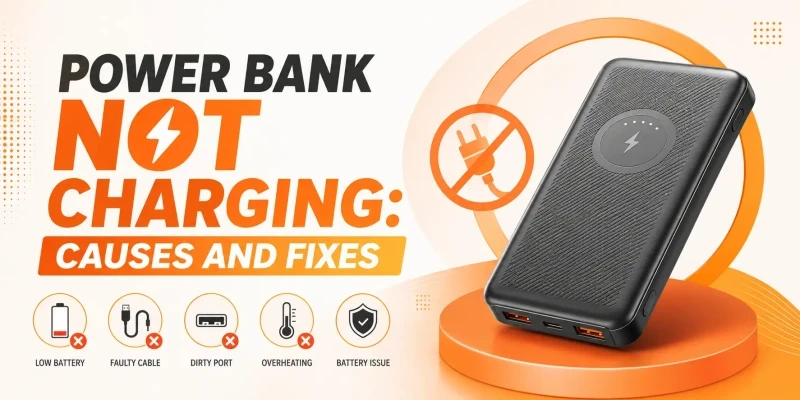
Most power banks that stop charging aren't actually dead. Start by swapping the cable and the wall adapter, since a worn cable is the single most common cause. If that doesn't help, check the port for dust or lint, and if the unit has sat unused for months, try charging it using a known good charger and cable to wake it from deep discharge. If it's hot, swollen, smells burnt, or the case is cracked, stop using it and don't try to charge it again. Our power bank safety guide covers those warning signs in full.
One fine morning, you prepare to go out for work or university and check to see if your power bank has recharged fully overnight. Alas! It hasn’t even charged to 15% for some reason. Power banks not charging is an annoying issue to deal with. If you have a warranty, you could replace it, but otherwise you have to get it fixed or replace it depending on the severity of the problem. In this article, we delve into the common causes of why a power bank does not charge and how to fix them.
Common Reasons Your Power Bank Won't Charge
Before you assume the worst, it helps to know that a stopped-charging power bank usually comes down to one of a handful of causes, and most of them have nothing to do with the battery itself.
Faulty Charging Cable
Cables fail more often than the power banks they're plugged into. A frayed wire inside the insulation, a bent connector, or a cheap cable that was never rated for the current you're pushing through it can all stop a charge cold, even though the cable still looks fine on the outside.
Wrong or Weak Adapter
Plugging a power bank into a low-output adapter, like an old 5W phone charger, can charge it so slowly that it looks like it isn't charging at all. Some power banks also refuse to charge from adapters that don't match their expected voltage.
Dirty or Damaged Charging Port
Pocket lint and dust build up inside USB ports over time and block the pins from making a clean connection. A bent or loose port from repeated plugging and unplugging causes the same symptom: it looks connected, but the charge never gets through.
Deeply Discharged Battery
If a power bank sits unused for several months, its charge can drop so low that the built-in protection circuit cuts the battery off entirely to prevent damage. Many budget models won't accept a charge again until you trickle-charge them past that cutoff, which can take longer than you'd expect.
Overheating Protection
If a power bank got too hot, either from direct sun or being buried under other items while charging, its protection circuit may shut charging down until the temperature drops. This is a safety feature working as intended, not a fault. We go into this in more detail in why power banks overheat.
Old or Degraded Battery
Lithium batteries lose capacity with every charge cycle, and after roughly 300 to 500 cycles, a power bank may struggle to hold a full charge or accept one at all. There's no fixing this; it's just how the chemistry ages.
Water or Physical Damage
A power bank that's been dropped or cracked, it can suffer internal damage that you can’t check without opening it up. Even if it seems to charge after getting damaged, treat it with caution. If it is exposed to water, you must stop using it immediately and don’t power it on again. You should either get it checked by a professional or dispose of it safely.
How to Fix a Power Bank That Won't Charge
Try a Different Cable and Adapter
This solves the problem more often than anything else on this list. Use a cable and adapter you already know work with another device, and give the power bank a few minutes on each before moving on.
Clean the Charging Port Safely
Turn the power bank off, and use a soft and dry brush or a can of compressed air to clear out the layers of dust and lint. Don’t use metal tools as they could bend the pins inside the port.
Wake It Up After a Deep Discharge
Plug it into a known-good charger and cable that matches the manufacturer’s specifications. If it remains unresponsive or becomes hot or swollen, stop charging it.
Let It Cool Down and Try Again
If the power bank feels warm or hot, unplug it and set it somewhere open and cool for at least 20 to 30 minutes before trying to charge it again.
Reset the Power Bank If Supported
Some models have a small reset pinhole, and others reset simply by holding the power button for 10 to 15 seconds. Check the manual for your specific model, since not all power banks support this.

Why Your Power Bank Charges Slowly
Slow charging usually happens because of a mismatch between a low-wattage adapter, a cable that can't carry higher current, or a power bank and phone that don't share a fast charging protocol. It will always fall back to the slowest common speed. Our fast charging power bank guide explains how USB PD and Quick Charge negotiate speed, which is worth a read if this keeps happening.
Why Your Power Bank Charges but Won't Charge Your Phone
A power bank can take a charge on its input side while its output side fails separately. This is because there are often two different circuits inside the unit. If the display shows a full charge but the power bank doesn’t charge your phone, try a different output port if the unit has one. Before you do that, rule out the cable before assuming the output circuit itself has failed.
What the Blinking Lights Usually Mean
Blinking LED lights provide information about different aspects of the power bank. The blinking behaviour varies by brand, so check your specific manual where you can, but these patterns are common across most models:
What You See | What It Usually Means |
One LED blinking slowly | Low battery. Plug the power bank itself into a wall adapter and give it time before assuming it's broken. |
All LEDs blinking together | A protection circuit has tripped, usually from overcurrent, overheating, or a short. Unplug everything and let it sit. |
Single LED blinking fast, on repeat | Deep discharge lockout on many budget models. Often recoverable; see the wake-up steps below. |
No lights at all, even when plugged in | Could be a dead cell, a blown protection circuit, or simply a bad cable or port. Rule out the cable first. |
Lights show full, but the phone isn't charging | The battery has charge, but the output side (port, cable, or output circuit) isn't passing it through. |
When a Power Bank Is Unsafe to Use
Stop Charging If You Notice Any of These
- The case is swollen, puffed up, or bulging
- A burning or chemical smell during charging
- It gets hot enough to be uncomfortable to hold
- The case is cracked or physically damaged
Any one of these on its own is a reason to stop using the power bank and dispose of it safely rather than keep trying to charge it. Our power bank safety guide covers safe disposal and what causes each of these warning signs in more depth.
- Any fluid leaking from the casing

Should You Repair or Replace Your Power Bank?
If the unit is still under warranty, claim a replacement through the retailer rather than opening it yourself. Outside of warranty, a bad cable or dirty port is worth fixing since it costs nothing, but a swollen battery or a cell that's simply worn out isn't worth repairing. Power bank battery replacement isn't widely offered as a standalone service in Bangladesh, and opening a lithium battery pack yourself carries real risk. In most cases, once the cell itself has degraded, buying a new unit is the safer and cheaper option.
How to Prevent This Next Time
- Use the cable and adapter that came with the power bank, or a comparable rated replacement.
- Avoid running the battery all the way to empty on a regular basis.
- Keep the charging port covered or clean when not in use.
- Store it at partial charge, not fully empty or fully full, if it won't be used for a while.
- Keep it out of direct sun, cars, and anywhere it could overheat while charging.
Ready for a Replacement?
If your old power bank is past saving, SMS Gadget carries genuine, warrantied power banks from Anker, Baseus, Joyroom, QCY, Foneng, and Awei, and many more with nationwide delivery and showrooms all across Bangladesh. See our fast charging power bank guide if you want to pick a model that charges faster than the one you're replacing.
Frequently Asked Questions
The most common cause is a bad cable or adapter, so try swapping both before anything else. A dirty port or a battery that's dropped into deep discharge after long storage are the next most likely causes.
Sometimes. If it's been unused for months, a slow trickle charge can often wake it up. If the cell itself has degraded from age or physical damage, it generally can't be repaired and is better replaced.
The input and output circuits are often separate on many power bank models. So a power bank can charge itself while failing to pass it on. Try a different cable or output port before assuming the unit has fully failed.
It's technically possible but not commonly offered as a service in Bangladesh, and opening a lithium battery pack at home carries real risk. It might be best to replace the whole unit as the safer choice.