
Best Fast Charging Power Bank for Smartphones: What to Look For
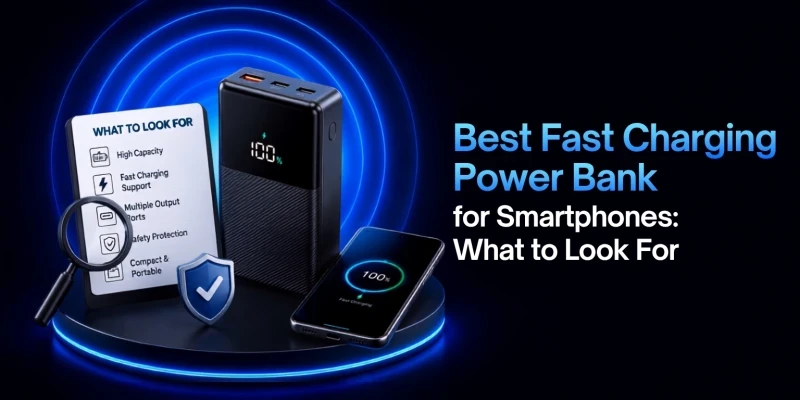
These days, fast charging has become a very popular term in the electronics market. Every time you need to charge a device, a fast charging adapter or power bank saves you a significant amount of time. The electronics shops in Bangladesh are full of power banks claiming to support fast charging. This guide focuses on what actually determines whether a power bank will charge your specific phone quickly, safely, and without wasting your money on unnecessary specs.
What Is a Fast Charging Power Bank?
A fast charging power bank is simply one that can deliver more electrical power, measured in watts, than the old 5W chargers that used to ship in every phone box. It does this using a negotiation protocol, most commonly USB-C Power Delivery (PD) or Qualcomm Quick Charge (QC), that lets the power bank and the connected phone agree on a safe, higher voltage and current combination. The label on the box, whether it says 18W, 22.5W, or 45W, tells you the maximum the power bank can push out, not what every phone will actually receive.

Why Wattage Matters More Than mAh for Fast Charging
It's easy to assume a bigger mAh number means a better power bank. But capacity only tells you how much charge can be stored, not how quickly the charging takes place. Wattage is what controls charging speed. A 30,000mAh power bank rated at 10W will charge a phone much slower compared to a 10,000mAh model rated at 30W with the right protocol. Both numbers matter, but for the "fast charging" part of your decision, wattage and protocol support deserve more attention than capacity.
What 18W Means
18W is one of the most common fast-charging tiers, which is delivered commonly at 9V/2A. It roughly matches USB PD's original baseline and Quick Charge 3.0's usual output. It's a great entry point for most Android phones and older iPhones.
What 20W Means
20W has been Apple's long-standing benchmark for a noticeably faster iPhone charge over USB-C PD, which is why many power banks list a 20W rating specifically to signal iPhone compatibility.
What 22.5W Means
22.5W is an extremely common Android tier, especially from Xiaomi and similar brands, and it's one of the most frequently seen ratings on power banks sold across Bangladesh in the budget-to-midrange segment.
What 30W Means
30W is a step up aimed at slightly larger phone batteries and small tablets, usually delivered through USB-C PD at 15V or 20V rather than a fixed low voltage.
What 45W and Higher Means
45W and above is meant for power banks that also need to top up a laptop or a phone with a high-wattage fast-charging standard, such as Samsung's Super Fast Charging 2.0. Anything well above 100W depends on USB PD's Extended Power Range (EPR) mode, introduced in the PD 3.1 specification, which raises the ceiling to 240W using higher fixed voltages.

USB-C PD: The Most Important Feature for Modern Smartphones
USB Power Delivery is an open, brand-neutral standard managed by the USB Implementers Forum (USB-IF). This is exactly why it matters so much when shopping for a power bank. PD works across iPhones and most Android phones. It also works for most laptops and tablets. So a single PD-capable power bank can realistically fast charge everything in a typical household. The original PD 2.0 and 3.0 specifications cap out at 100W (20V/5A), while the newer PD 3.1 standard extends that to 240W for larger devices. If you only check one spec before buying, USB-C PD support is the one to prioritize.
Quick Charge Support: Why It Matters for Android Phones
Quick Charge (QC) is Qualcomm's own fast-charging protocol. It is made for phones built on Snapdragon processors. Quick Charge 3.0 is a widely used protocol that delivers around 18W to devices. Quick Charge 4 and 4+ add USB PD compatibility and generally reach about 27W. And then the Quick Charge 5 and 5+ are the latest versions. They can reach up to 100+ W on devices that support them. Because QC is tied to specific chipsets, it only helps if your phone's own processor and charging circuitry recognize the protocol. So it's worth confirming your phone actually uses Quick Charge before treating it as a must-have feature.
USB-C PD vs Quick Charge: Which One Should You Choose?
|
|
USB-C PD |
Quick Charge (QC) |
|
Owned by |
USB-IF (open industry
standard) |
Qualcomm (proprietary) |
|
Works with |
Any USB-C device, including
iPhones |
Mainly Snapdragon-based
Android phones |
|
Typical max wattage |
Up to 100W (240W with PD 3.1
EPR) |
Up to 100W (QC 5, on
supporting devices) |
|
Best choice if |
You want one power bank for
multiple device types |
You only use one specific
Snapdragon Android phone |
In practice, most fast-charging power banks worth buying support both protocols at once. So this often isn't a hard decision. If you have to prioritize, PD would be better as it is supported by more devices.

What Capacity Should You Choose?
Capacity decides how many charges you get before needing to recharge the power bank itself, and it should be matched to how you'll actually use it rather than picked based on the biggest number available.
5000mAh for Emergency Use
A small 5,000mAh power bank is meant for topping up a phone by 30 to 50 percent in a pinch. It is not for full daily coverage. It's a reasonable pick if you mainly want a backup for emergencies and prefer something pocketable.
10000mAh for Daily Use
10,000mAh is a comfortable middle ground and the most popular one. It can provide 1-1.5 full phone charges. These usually deliver 20W to 35W fast charging, which covers most single-phone routines.
20000mAh for Travel and Heavy Use
20,000mAh covers two to three full phone charges. It is the most popular capacity for travelers. They provide excellent backup during load-shedding periods as well when paired with 22.5W to 45W output.
30000mAh for Long Backup
30,000 mAh or higher is for long trips or situations with no reliable access to outlets. However, the size and weight of these massive power banks make it hard to carry for everyday use.

Best Fast Charging Power Bank for iPhone Users
iPhones have used USB-C PD (or Lightning paired with a PD adapter, on older models) for fast charging since the iPhone 8 generation, and current models can accept a bit more than Apple's long-standing 20W benchmark over USB-C PD. For iPhone owners, a power bank rated 20W to 45W with confirmed PD support, such as the QCY PB20A or Awei C03, both available through SMS Gadget, covers fast charging needs well. A Quick Charge-only power bank will not fast charge an iPhone at all, since Apple devices don't implement Qualcomm's protocol.
Best Fast Charging Power Bank for Android Users
Android is more fragmented, since some phones rely on USB PD, others use Quick Charge, and several major brands, including Xiaomi, Oppo, vivo, and OnePlus, ship their own proprietary fast-charging standards that only reach full rated speed with a matching charger. For most Android phones, a power bank supporting both PD and QC, such as the Baseus Adaman 22.5W or QCY PB20A, is the safer all-around choice, particularly in households where more than one Android brand is in use.
Check the Output Wattage Before Buying
Always compare the power bank's maximum output to your phone's supported fast-charging wattage. You can find it listed in the spec sheet or user manual which comes with your phone. Buying a power bank rated well above what your phone can accept doesn't add speed for that phone, though it can be useful if you also charge tablets or laptops from the same unit.
Check the Input Wattage Too
Input wattage determines how quickly the power bank recharges. It matters just as much for day-to-day convenience as charging your other devices. A power bank with a fast 45W output but a slow 10W input can take several hours to refill overnight. You should keep that in mind when planning to recharge it daily rather than occasionally.
Why Cable Quality Matters for Fast Charging
Certain properties of a cable are very important to consider when fast charging is involved. Conductor thickness, connector build, and an embedded E-marker chip all affect how much power can safely pass through. A thin or generic cable can bottleneck a 45W power bank down significantly compared to its rated speed. So using the cable that shipped with the power bank, or one clearly rated for the wattage you need, matters as much as the power bank's own spec sheet.

USB-A vs USB-C: Which Port Is Better?
USB-C is the better choice for fast charging in almost every case, since USB-C PD supports far higher wattages and works with iPhones, Android phones, and laptops alike. USB-A ports can still support fast charging through Quick Charge, but they're generally capped lower and are gradually being phased out as more phones and accessories move to USB-C only.
Built-in Cable vs Separate Cable Power Bank
Power banks with a built-in cable, such as the Awei C03, are convenient for daily carry since you can't misplace the cable, and the built-in cable is guaranteed to be rated for the power bank's full output. Separate-cable models offer more flexibility, letting you swap in a longer or higher-rated cable when needed, but only if you remember to bring one along.
Safety Features You Should Check
Fast charging concentrates more energy into a shorter window. So the safety protections built into a power bank matter more as wattage goes up.
Overcharge Protection
Stops the power bank's own battery from continuing to draw power once it reaches full charge.
Overheat Protection
Reduces or cuts output if internal temperature climbs beyond a safe range during use.
Short Circuit Protection
Immediately halts power flow if a wiring fault or damaged cable creates a short circuit.
Temperature Control
Actively monitors heat during charging and throttles speed rather than letting the unit run hot.
Certified Battery Cells
Reputable brands use cells that meet recognized safety certifications, reducing the risk of swelling or failure over time.
Portability: Size, Weight, and Daily Carry Comfort
Higher capacity and higher wattage both add weight to the power bank. So the right balance depends on how you'll carry the power bank. A slim 10,000mAh model fits easily in a pocket or small bag for daily commuting. But a 20,000mAh or larger power bank is better to carry in a backpack or laptop bag if you are away from an outlet for a long time.
How Many Devices Can It Charge at Once?
Power banks with multiple output ports can charge more than one device simultaneously. However, the total wattage is shared or capped when several ports are active at once. If you regularly charge multiple devices like a phone, earbuds or laptop together, look specifically at the per-port wattage rather than assuming the headline number applies to every port at the same time.

Common Mistakes When Buying a Fast Charging Power Bank
Looking Only at mAh
Capacity affects total charges, not charging speed, so it shouldn't be the only number you compare.
Ignoring Output Wattage
A power bank that doesn't list its actual wattage, or buries it in fine print, is usually not going to fast charge much of anything.
Buying Without USB-C PD
Skipping PD support narrows compatibility significantly, especially for iPhone owners or mixed-device households.
Using a Low-Quality Cable
Even the best power bank will underperform with a cable that isn't rated for its wattage.
Buying Fake High-Capacity Power Banks
Unusually cheap power banks that claim very high mAh figures often overstate capacity. They deliver fewer charges than they claim.
Fast Charging Power Bank Buying Checklist
• Confirm your phone's own supported fast-charging wattage and protocol before comparing power banks.
• Prioritise USB-C PD support for the widest device compatibility, and add Quick Charge if you use a Snapdragon Android phone.
• Choose a capacity that matches your actual routine: 10,000mAh for daily carry, 20,000mAh for travel and heavier use.
• Check both output wattage (charging your phone) and input wattage (recharging the power bank itself).
• Use the cable that came with the power bank, or one clearly rated for the wattage you need.
• Look for stated overcharge, overheat, short-circuit, and temperature protections before buying.
SMS Gadget carries fast-charging power banks across the wattage and capacity tiers covered in this guide. They stock top-of-the-line products like the QCY PB20A and Awei C03 for 45W PD charging that also handles tablets, the Baseus Adaman 22.5W for broad PD, QC, and SCP protocol support, and the Foneng PX137 for a compact 10,000mAh daily-carry option. Each listing spells out supported protocols and port layout, making it easier to match a power bank to your specific phone before you buy. Browse the massive inventory at smsgadget.com for your required power bank.
Final Verdict: What Should You Look For?
The best fast charging power bank for your smartphone is the one whose output and protocol match what your phone supports. And when you pair it with a capacity that fits your routine and a cable that can support the power transfer, you won’t have to look at anything else. If you can get those basics right, even a modest 18W to 22.5W power bank will outperform a mismatched one every time.
Frequently Asked Questions
Check what your phone supports and then match the wattage and protocol when buying the power bank. After that, check capacity, cable quality, and safety protections.
18W to 22.5W covers most current phones well. Go higher, 30W to 45W, only if your phone supports it or you also charge tablets or laptops.
It isn't strictly required, but it's the most broadly compatible protocol across iPhones, Android phones, and tablets, so it's worth prioritizing.
Yes. A fast-charging power bank cannot push more power into a phone than the phone's own charging chip is built to accept.
Why is my fast charging power bank charging slowly? Usually because of a phone that doesn't support the same protocol, an underrated cable, a low internal charge in the power bank, or heat-related throttling.