What Is a Neckband? Complete Beginner's Guide
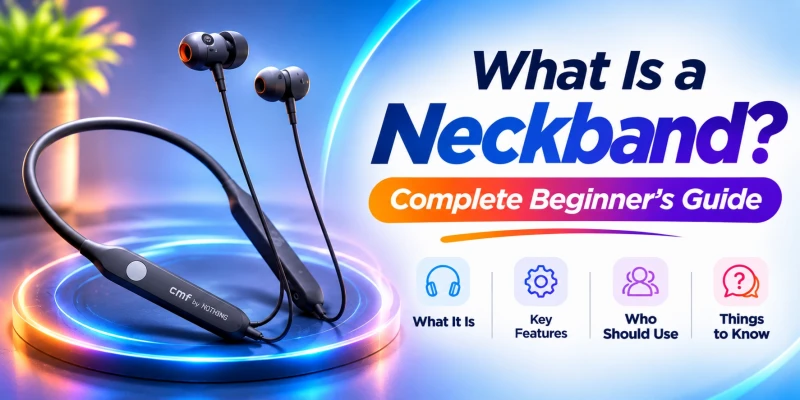
A neckband is a pair of earbuds joined by a flexible band worn around the neck, with the battery and Bluetooth chip built into the band itself. It connects to your phone wirelessly over Bluetooth, so there is no cable running to the device in your pocket. Compared with fully wireless (TWS) earbuds, a neckband usually wins on battery life and call quality, and loses on how small it packs down. Best suited to calls, office work, gym sessions, and anyone who forgets to charge things overnight. A solid first neckband from OnePlus, Realme, Oraimo, or QCY runs roughly Tk 1,000 to Tk 3,500 in Bangladesh.
Neckbands have become a very popular accessory choice when it comes to listening to audio. It looks like a rubber horseshoe with two wires hanging off it. The marketing language regarding neckbands might not make much sense until you have worn one. So let's back up and cover this properly: what a neckband is, how it works under the hood, what its parts do, and whether it is even the right fit for you before you spend any money on one.
What Is a Neckband?
A neckband is a pair of earphones connected by a band that you wear around your neck instead of two separate pieces. The band holds the parts that make the audio work: the battery, the Bluetooth radio, and usually the microphone. You put the whole thing on like a light scarf, and the earbuds hang from short wires until you put them in.
What Is a Bluetooth Neckband?
When people say "neckband" today, they almost always mean a Bluetooth neckband, since the wired version, plugged into an old MP3 player or phone jack, has mostly disappeared. A Bluetooth neckband has no cable to your phone at all. It pairs wirelessly, runs on its own rechargeable battery, and only the short internal wires between the two earbuds and the central band remain.
What Is the Purpose of a Neckband?
The whole design exists to solve problems that plague tiny fully wireless earbuds: short battery life, weak microphones, and the constant fear of losing one half in a couch cushion. Because the band has room for a bigger battery and a better-placed mic, a neckband tends to outlast and out-talk a similarly priced pair of true wireless earbuds. You also cannot lose a single earbud, since both stay clipped to the band around your neck.
How Is a Neckband Different from Regular Earphones?
Regular wired earphones plug straight into your phone through a 3.5mm jack or a USB-C port. They carry no battery of their own and need no charging, but they also tether you directly to your phone. A neckband cuts that cable, adds a battery and a Bluetooth chip, and lets you walk several meters from your phone without the audio cutting out.

How Does a Bluetooth Neckband Work?
Underneath the rubber and fabric, a neckband is doing the same basic job as any Bluetooth speaker, just shrunk down and shaped to sit on your shoulders.
Bluetooth Pairing and Audio Transmission
Your phone's Bluetooth radio finds the neckband's Bluetooth chip, and the two agree to talk over the 2.4GHz frequency band. Once paired, your phone compresses the audio using a codec, sends it wirelessly to the neckband, and the neckband's chip decodes it back into a usable signal. This whole exchange happens dozens of times per second, which is why lag exists at all: it takes a moment to compress, send, and decode.
How a Neckband Produces Sound
The decoded digital signal passes through a small DAC (digital-to-analog converter), gets boosted by a tiny amplifier, then reaches the driver inside each earbud. The driver is really just a miniature speaker: a magnet and a coil that push a diaphragm back and forth, and that vibration is what you hear as sound. Driver sizes in neckbands usually run from around 8mm up to 13.6mm.
How the Microphone and Controls Work
The microphone is usually placed close to the collar. It picks up your voice and transmits it using Bluetooth during calls or voice commands. Physical buttons or a touch panel on the band contain the general play, pause, volume, and answer call commands. Some models also let you trigger Google Assistant or Siri with a long press.
Bluetooth Range and Device Compatibility
Most neckbands hold a solid connection up to about 10 meters indoors, less if a wall or your own body gets in the way. Compatibility is rarely an issue. Virtually any phone, laptop, or tablet with Bluetooth built in will pair with a neckband, since the underlying Bluetooth standard is universal even when a specific feature like one particular codec is not.
Main Parts of a Neckband
Take one apart mentally (please do not take one apart for real), and here is what you would find:
Flexible Neckband and Connecting Wires
The band itself is usually a soft silicone or fabric shell wrapped around a bendable metal or plastic core, which is why it holds a curved shape instead of flopping straight. Thin wires run inside the band, carrying audio and power signals between the central electronics and each earbud.
Earbuds, Ear Tips and Audio Drivers
The two earpieces that actually go into your ears house the driver and usually come with a set of silicone ear tips in a few sizes, so you can swap for a tighter or looser seal depending on your ear shape.
Battery and Charging Port
A small lithium-polymer battery sits inside the band, often in one of the two side pods near your shoulders. Nearly every neckband released in the last couple of years charges over USB-C; older or heavily discounted models sometimes still use Micro-USB.
Microphone, Control Buttons and LED Indicator
The mic, a handful of buttons for power and volume, and a small LED that blinks to show pairing, charging, or low battery all live on the same central section of the band, usually within easy reach of your fingers without looking.
Magnetic Earbuds
Plenty of neckbands add magnets to the earbuds so they snap together and hang around your neck when you are not listening. On most models, that magnetic snap also pauses playback and can power the unit down automatically, which quietly helps the battery last longer over a full day.

Important Neckband Features Explained
Once you get past the basics, the spec sheet starts throwing around terms that are worth actually understanding before you compare models.
Sound Quality and Driver Size
A bigger driver does not automatically mean better sound. Tuning, the shape of the internal acoustic chamber, and amplifier quality all shape the final result just as much as raw driver size does.
ANC and ENC
ANC (active noise cancellation) blocks outside noise from reaching your ears when you’re listening to something. ENC (environmental noise cancellation) works the other direction, cleaning up your voice so it comes through clearly on a call even if you are standing somewhere loud. They get bundled together in marketing constantly, but they solve two different problems for two different people.
Bluetooth Version and Wireless Range
The different versions of Bluetooth like 5.0, 5.2, and 5.3 mostly affect range, connection stability, and the chip's power draw. A newer version helps, but it is not a guarantee of better sound by itself.
SBC, AAC, aptX and Other Audio Codecs
SBC is the baseline codec that every Bluetooth device supports, so it always works as a fallback. AAC is what iPhones rely on for their best quality. aptX and aptX HD show up on specific Android chipsets, and LDAC pushes higher-resolution audio on select Android phones. None of these codecs matter if your phone does not support them, no matter what the neckband's box claims.
Low-Latency and Gaming Modes
A dedicated low-latency or gaming mode reduces the lag between what happens on screen and what you hear. You can toggle it usually with a button combination or through a companion app.
Multipoint and Dual-Device Connection
The multipoint connection feature allows you to connect the neckband to two devices at once, like your phone and laptop. It can switch between them without a manual re-pair. It's useful for anyone juggling calls across devices, but it is still rare on budget models.
Water and Sweat Resistance
IP rating is a grading system for how much moisture a neckband can survive. IPX4 can handle light sweat and splashes. IPX5 will survive heavy sweat in a proper workout. IPX7 can survive submersion for a short amount of time, though the exact depth and duration still depend on the manufacturer's own testing.
Fast Charging and Battery Backup
Fast charging is a very convenient feature that allows you to charge your devices in a short time through higher-wattage input. It can get you several hours of use in like 10 to 15 minutes. It matters a lot during a rushed morning or when you are running late. Battery backup means the total hours of usage you get per full charge. The backup depends heavily on volume and whether ANC is running.

Benefits and Disadvantages of Neckbands
Key Benefits of Using a Neckband
- Longer battery life than most similarly priced true wireless earbuds
- Hard to lose a single earbud, since both stay clipped to the band
- Often better call quality thanks to mic placement and room for multiple mics
- Magnetic auto-pause saves battery without you thinking about it
- Comfortable during workouts, since the earbuds cannot fall and roll under gym equipment
Common Disadvantages of Neckbands
- Less pocketable than tiny TWS earbuds and their charging case
- The band can feel warm around the neck in humid weather, worth admitting plainly if you live somewhere like Dhaka
- Wires between the earbuds and band can snag on collars, backpack straps, or zippers
- Some people simply find the look less discreet than fully wireless earbuds
- Weight, however light, is still weight resting on your neck for hours at a stretch
Are Neckbands Comfortable for Everyday Use?
Yes, they are comfortable for most people. Especially with a lightweight silicone band and soft memory wire that holds its shape without pinching. Heavier premium models with bigger batteries and ANC hardware can start to feel warm after a few hours in hot, humid weather, which is genuinely one of the few honest downsides of going for the most feature-packed option available.

Neckband vs TWS Earbuds
Design and Portability
TWS earbuds and their case fit in a jeans pocket without a second thought. A neckband needs to go around your neck or into a bag, which is a fair trade for some people and a dealbreaker for others.
Sound and Call Quality
Sound quality is usually very similar at a fixed price point. It rarely decides the winner on its own. Call quality tends to lean toward neckbands, since the mic sits in a more stable spot and there is often room for more than one microphone.
Battery Life and Charging
This is where neckbands usually pull ahead by a wide margin, since the band has far more physical space for a battery than two tiny earbud shells do. TWS earbuds make up some ground with a charging case that tops them up between wears, but that requires remembering to dock them.
Comfort and Secure Fit
Neckbands stay put during workouts because the band itself, not just the ear tip, is holding things in place. TWS earbuds rely entirely on the ear tip's grip, which works well for some ear shapes and poorly for others.
Price and Durability
Neckbands often pack more features per taka than TWS earbuds at the same price, since one shared battery is cheaper to build than two separate ones. Durability is comparably similar as well, though a neckband's wire is one more part that can eventually fray or fail.
Which One Should You Choose?
If calls, battery life, and never losing an earbud matter most, a neckband is the easier recommendation. If pocketability and a smaller in-ear footprint matter more, TWS wins. Our Ultimate Earbuds Buying Guide covers the TWS side of that decision in far more depth if you are still torn.

Who Should Use a Neckband?
Neckbands for Calling and Office Meetings
Anyone spending hours on calls benefits from the stronger mic placement and the battery to survive back-to-back meetings without a midday charge.
Neckbands for Music and Entertainment
If you listen to music regularly, a neckband with a balanced or bass-forward tuning should be enough to cover most music tastes. Also, the longer battery means fewer interruptions during a long playlist or a movie.
Neckbands for Gaming
Neckbands are fine for casual mobile gaming. For competitive gaming, however, you should specifically look for a low-latency mode, since the delay on a standard connection is noticeable once timing actually matters.
Neckbands for Running and Gym Workouts
The secure fit around the neck, combined with at least an IPX4 sweat rating, makes neckbands a genuinely good match for the gym, where a loose TWS earbud has a real chance of ending up on the floor mid-set.
Neckbands for Students and Travellers
Long class days and long flights both require a long battery life that does not force a mid-day charge, plus a design that survives being stuffed into a backpack without a proper case.
How Long Does a Neckband Battery Last?
This depends heavily on price tier, since battery capacity is one of the first things brands cut to hit a lower price point.
|
Price Tier |
Typical
Battery Life |
|
Budget (under Tk 1,500) |
12 to 20 hours |
|
Mid-range (Tk 1,500 to 3,000) |
20 to 35 hours |
|
Premium / ANC (Tk 3,000+) |
30 to 45+ hours, though ANC on
cuts this by roughly 20 to 30% |
Real-world numbers don’t match the figures on the box exactly, since volume, ANC, and the codec in use all pull battery life down from the lab-tested figure. If you want to actually stretch whatever battery you end up with, our guide on how to make earbud batteries last longer covers charging habits that make a real difference over a year of use.
How to Choose Your First Neckband
Identify Your Primary Use
Finding out your main priority use case narrows down the entire shortlist faster than comparing the specs. You could prioritize listening to music, playing games, working out or watching videos, etc. There is a neckband for whatever your specific use case may be.
Check Sound and Microphone Quality
Where possible, test both before buying, not just music playback. A neckband that sounds great but mumbles on calls is a poor fit if you talk on the phone often.
Compare Battery Life and Charging Speed
The battery life should match usage. Rather than chasing the highest number on the shelf, check determine how much juice you require every day on average and get something close to that. Check whether fast charging is included for rushed mornings.
Check Comfort, Weight and Ear-Tip Sizes
A lighter band and a good range of ear-tip sizes matter more to daily comfort than almost any other spec, especially if you plan to wear it for hours at a stretch.
Consider ANC, ENC and Low Latency
You should consider ANC for cutting noise around you while you listen to something, ENC for calls in loud environments, and low latency for gaming. ANC and ENC both in one device is the best option for everyday life.
Check the Bluetooth Version and Audio Codecs
You have to match the audio codec of the neckband with your phone. iPhone owners should look for AAC, and Android owners should get whichever codec works with their phone model.
Look for Water and Sweat Resistance
Skip this if you only use a neckband at a desk. Prioritize at least IPX4, and ideally IPX5 for gym use or the rainy season.
Compare Price, Warranty and Brand Reliability
Stick to known brands with an official local warranty rather than the cheapest unbranded listing you can find. It is also worth knowing how to spot a fake before you buy, since our guide on original versus fake AirPods and counterfeit earbuds covers red flags that apply to neckbands just as much as TWS earbuds. For a full model-by-model comparison with current BD pricing, the Ultimate Neckband Buying Guide goes much deeper than this beginner overview.
Neckband Safety and Maintenance
Are Bluetooth Neckbands Safe?
Yes. Bluetooth radios operate at power levels far below the safety limits regulators set for radio-frequency exposure. A neckband's transmitter is weaker than the one already in your phone. The bigger everyday risk is your listening habits. Our guide on earbud safety and hearing health covers this in more detail.
Safe Listening Volume and Duration
A few safety tips include keeping volume at 60% or below and taking a break after 60 minutes of continuous listening. It may sound arbitrary, but sustained loud volume is what causes long-term damage to the body.
How to Clean Neckband Earphones
Firstly, wipe the band and earbuds with a slightly damp microfiber cloth. Then remove and rinse silicone ear tips separately if they are detachable, and finally let everything air dry fully before charging. Our full earbud cleaning guide covers ear wax buildup and mesh cleaning in more detail if that is a recurring issue for you.
How to Protect a Neckband from Sweat and Water
Wipe it down right after a workout instead of letting sweat sit on the band. Never submerge a neckband rated below IPX7, no matter what. Let it dry fully before plugging it in to charge.
How to Store a Neckband Properly
Keep it out of direct sunlight and away from a hot car dashboard. Heat degrades lithium batteries faster than almost anything else. Coil it loosely rather than jamming it into a tight knot. Don’t leave it fully drained for weeks at a time if you are not using it.
When Should You Replace Your Neckband?
Consider replacing it once battery life drops to about half of what it delivered new. If audio starts crackling on one side, or if the band material cracks at the flex points, you should replace it. Two to three years of daily use is a realistic lifespan for most mid-range models.

Common Neckband Problems
Neckband Is Not Turning On
Usually a fully drained battery or an unresponsive power button. Charge it for at least 30 minutes before assuming it is broken, then hold the power button for 8 to 10 seconds to force a restart.
Neckband Is Not Charging
Check the port for lint or dust first, then try a different cable and charger. If the LED still does not light up after 15 minutes on a charger you know works, the battery or port itself has likely failed.
Neckband Is Not Connecting
Forget the device in your phone's Bluetooth settings and re-pair from scratch. If it still fails, check whether the neckband is already connected to another phone or laptop nearby, since most budget models cannot pair with two devices without multipoint support.
One Side of the Neckband Is Not Working
Check your phone's audio balance setting first, since it is easy to accidentally shift audio fully to one channel. If balance is centered and the fault persists, a damaged internal wire from a drop or a sharp bend is the likely cause.
Neckband Is Connected but Has No Sound
Check that your phone's media volume, not just the call volume, is turned up, and confirm the audio output has not silently switched back to the phone's own speaker.
Microphone or Call Quality Is Poor
Try disabling ENC temporarily, since over-aggressive noise processing can occasionally make your own voice sound distorted rather than clearer. Bluetooth interference from other nearby devices is the other common culprit.
Neckband Keeps Disconnecting
This almost always comes down to interference or a weakening pairing, and the causes overlap heavily with what true wireless earbuds run into. Our TWS pairing issues guide walks through the same troubleshooting steps in more detail than fits here.
Battery Drains Too Quickly
ANC and high volume both drain a battery faster than the box's advertised figure assumes. If a neckband has been through 300 to 500 charge cycles, some capacity loss is simply expected battery aging, not a defect.
Audio Is Delayed During Gaming or Video
Switch on a low-latency or game mode if the neckband has one. If it does not, the delay is a hardware limitation rather than something a setting can fix.
Where to Buy in Bangladesh
SMS Gadget offers genuine OnePlus, Realme, Nothing, Oraimo, and QCY neckbands with official warranty and nationwide delivery. Browse the current lineup at our website, or visit our stores all around Bangladesh.
Frequently Asked Questions
It depends on what you value more. Neckbands usually last longer per charge and handle calls better, whereas TWS earbuds weigh less in your pocket and are easier to carry around. Neither one is objectively better.
Pretty much, yes. Any phone with Bluetooth, which by now is every smartphone made in the last decade, will pair with a neckband, though which codecs actually activate depends on the phone.
No. It only needs Bluetooth, which works fine without Wi-Fi or mobile data. Whatever internet connection exists belongs to your phone, not the neckband itself.
Yes, and it is genuinely one of the format's strengths. The microphone typically sits in a more stable spot than a true wireless earbud's mic does, which often means clearer pickup on your end of the call.
Yes, daily use is fine. The actual risk isn't the neckband's Bluetooth radio; it's listening at high volume for hours on end, and that applies to any pair of headphones, wired or wireless.

