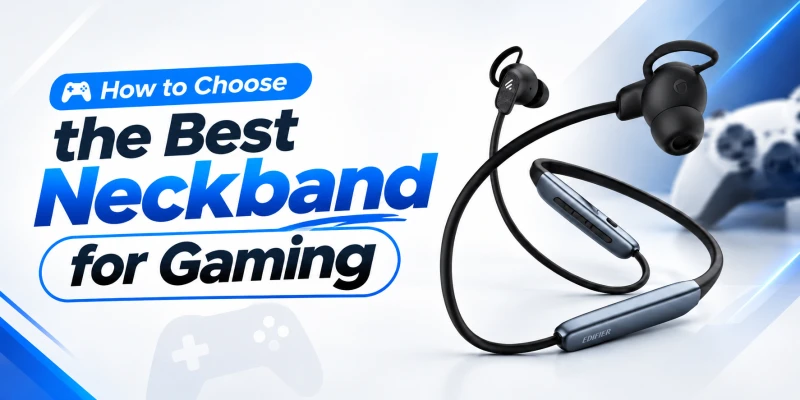
How to Choose the Best Neckband for Gaming
Picture this: someone is creeping up the stairs behind you in a Free Fire match. You hear the footsteps, but only after he's already on screen and firing. Too late. You couldn’t react in time. You blame the ping, your phone and everything else. Sometimes the real culprit is the Bluetooth delay in the neckband hanging around your neck. That audio delay might be what caused you to react late.
Neckbands get sold on bass and battery, and for gaming those are not the priority. What matters is the audio delay, connection stability, clear comms, and how it feels during a long session. We'll go through all of it, translate the spec-sheet jargon, and finish with four neckbands you can buy in Bangladesh that are worth considering for gaming.
New to neckbands? Read our complete beginner's guide to neckbands to understand how they work, their key components, and their benefits.
What Should You Look for in a Gaming Neckband?
Nine factors should be looked into when buying a neckband for gaming purposes. Each gets its own section further down, so this is the quick pass.
Low Audio Latency
Latency is the gap between the game making a sound and you hearing it. Most of this guide comes back to it, and the best figure on current listings is about 45 ms.
Dedicated Gaming Mode
A switch that cuts the buffering. Brands call it gaming mode, game mode or low-latency mode. It usually reduces the audio latency by a significant amount.
Stable Bluetooth Connection
Ten extra milliseconds you'll never notice, but a dropout in the middle of a gunfight you will. Reviews that mention disconnects tell you more than the Bluetooth version does.
Clear Positional Audio
You're hunting for where sounds come from. Matched left and right channels and a tuning that doesn't bury the treble do more for that than heavy bass.
Good Microphone Quality
Playing in a squad means a lot of callouts. Your voice must be clean in order for your squadmates to understand each and every call. A dual-mic setup with ENC keeps your ceiling fan out of the call.
Comfortable Fit
In most competitive games, matches are usually lengthy, and so the sessions around them are also long. A comfortable fit is therefore a necessity. Weight and tip size, along with the overall feel, matter more than you might think.
Long Battery Life
Treat the rating as a ceiling. ANC, volume and gaming mode all pull you below it.
Fast Charging
Not as important as the other factors on the list, but it definitely helps out to quickly charge the neckband when you run out of battery during a match.
Smartphone Compatibility
The neckband and the phone have to agree on a codec. iPhones only offer AAC and SBC, and Android phones differ from model to model.
What Is Audio Latency in a Gaming Neckband?
Audio latency is the delay between the game producing a sound and that sound reaching your ears, counted in milliseconds (ms). The delay stacks up in multiple stages throughout the whole process. First, the game's audio engine, then the phone, Bluetooth encoding, the radio link, decoding inside the neckband, and finally the driver. Every stage adds a little bit of delay.
The physics of the whole thing is rather easy to understand. Sound travels in air at about 343 metres per second, so a 45 ms delay equals standing 15 metres from the source. At 120 ms you're 41 metres away. Across a room, nobody notices such a minute delay. Inside your ear, where sound is supposed to be instant, you do notice it quite clearly.
Why Low Latency Matters for Gaming
Video games synchronize the sound to the visuals constantly. The muzzle flash with a gunshot, the shrapnel of a grenade with the explosion, a footstep with a shape at the corner, etc. When the sound drifts apart from the visuals, your brain notices it and gets confused, which ends up delaying your reaction time. The ITU's broadcast recommendation BT.1359-1 puts this detection window at sound arriving up to 45 ms early or 125 ms late. This basically means if the sound and visuals are 45-125 ms apart, your brain detects it. Although those tests used people watching talking faces, not players reacting to gunfire. They tell you when a mismatch gets noticed, not how fast you can react to it.
What Happens When Latency Is Too High?
The footsteps arrive “after” the player comes into your line of sight. Gunfire lags the muzzle flash. A reload sound meant to warn you lands once the reload is finished. Sound turns from a cue to act on into a confirmation of events. This is very detrimental in a competitive scenario.
Casual Gaming vs Competitive Gaming
Lag doesn’t matter much in turn-based and story games. Even a 150 ms delay wouldn’t cause problems. But rhythm games and shooters are significantly sensitive to audio delay, because both require you to coordinate an action to a sound.
Why Advertised Latency Can Differ From Real-World Latency
The claimed figures are usually for the best-case scenarios. It comes from an idealized lab test. But then the game's own audio buffer and your phone's audio path add more delay on top of that figure. Some listings are honest about it by giving a range of audio delay instead of a single number. PCs usually don't apply latency correction, so the same neckband can feel different on a laptop and on a phone.
How Much Latency Is Good for a Gaming Neckband?
What Is Considered Low Latency?
There is no official scale. The ranges below mix the ITU window, the 45 ms claims on current gaming-mode neckbands, and the 100 to 300 ms commonly quoted for ordinary Bluetooth audio. It isn’t perfect but still useful as a benchmark.
|
Claimed latency |
What it means in practice |
Best suited to |
|
Under 50 ms |
Lowest range listed today, with
gaming mode on |
Competitive shooters, battle royale,
rhythm games |
|
50 to 100 ms |
Inside the 125 ms broadcast limit,
though fast cues can still feel late |
Casual multiplayer, racing games |
|
100 to 200 ms |
Gunfire and footsteps start to look
late |
Story games, video, music |
|
Over 200 ms |
Standard Bluetooth, no low-latency mode |
Music, podcasts, turn-based games |
Is Lower Latency Always Better?
What Affects Real-World Latency?
A lot of things other than the neckband affect real-world latency. The codec the two devices agree on, the firmware and its buffer size, your phone's Bluetooth chip and Android version, the game's audio engine, Wi-Fi and other 2.4 GHz clutter, etc.
What Is Gaming Mode in a Neckband?
Gaming mode trades smoothness and quality for speed. That's all it is. It reduces some of the processing in order to deliver the audio as quickly as possible.
How Does Low-Latency Mode Work?
It shrinks the buffers that normally smooth over radio hiccups, and on some models it changes encoder settings too. Brands rarely say which. The catch is less tolerance for interference. Some neckbands switch it on with a button combination; others through an app such as Realme Link or the QCY app.
Does Gaming Mode Always Reduce Latency?
Not guaranteed. The Monster's 60 to 119 ms range shows how much the result swings with phone and game. Also check whether the mode survives switching the neckband off and on.
Does Gaming Mode Affect Battery Life?
Brands rarely publish playtime with gaming mode on, so nobody knows by how much it hurts. Smaller buffers mean the radio works harder, so expect some loss. Rated numbers come from normal mode at moderate volume. OnePlus even prints "50% volume" next to the Z3's 36 hours.

Which Audio Codec Is Best for Gaming?
A codec squeezes audio so it fits through Bluetooth. Phone and neckband must share one, and if they don't, the connection falls back to SBC.
SBC
The mandatory baseline, so every Bluetooth stereo device has it. Codec delay near 100 ms is often quoted, and 200 ms total for standard Bluetooth. It was never built for games.
AAC
The iPhone default, and common on Android and budget neckbands, including the OnePlus Bullets Wireless Z3 and the Realme Buds Wireless 5 ANC. There's no low-latency version. So when an AAC neckband claims 45 ms, that comes from firmware tuning, not the codec.
aptX and Low-Latency Codecs
Qualcomm's aptX Low Latency targets about 40 ms. aptX Adaptive adds a low-latency mode. LC3, the codec in Bluetooth LE Audio, is quoted at 20 to 30 ms. The catch is the same for all three: phone and neckband both need it.
Does Codec Affect Gaming Delay?
Yes, mostly. Codec affects Bluetooth latency significantly. Firmware then builds upon that. It could either take it to a greater level, or reduce it to a lesser one. This explains why two AAC neckbands can post different numbers.
Why Codec Compatibility Matters
Your phone selects the best available codec both sides support. A neckband with aptX does nothing for an iPhone, since iOS supports only SBC and AAC. Android phones support multiple codecs like aptX, LDAC, etc., which you can check using the Developer Options.
Does Bluetooth Version Matter for Gaming?
Bluetooth Version and Connection Stability
Newer versions help with range, power use and sharing airspace with other radios. Stability still depends on the antenna, the chipset and the firmware.
Does Bluetooth 5.3 or 5.4 Reduce Gaming Latency?
Bluetooth version does not lower the latency by itself. Classic Bluetooth audio runs over BR/EDR using the A2DP profile, and its delay comes from the codec and buffering. LE Audio arrived with Bluetooth 5.2, and this version lowers the delay through LC3. But the phone and neckband both need it.
What Actually Affects Bluetooth Gaming Performance?
Codec, gaming-mode firmware, the phone's Bluetooth hardware, interference in the room, and a clear path between phone and band.

How Important Is Sound Quality for Gaming?
Bass for Explosions and Action
Low frequencies carry explosions, engines and impacts. Loud bass also masks quieter, higher sounds, an effect psychoacoustics calls upward spread of masking. So a bass-heavy tuning buries footsteps right in the middle of a firefight.
Midrange for Dialogue
Speech sounds occupy the telephone band, roughly 300 to 3,400 Hz. Story dialogue and teammate callouts all belong in this frequency band. So this band needs to be clearly audible for team-based and co-op games for good communication.
Treble for Footsteps and Details
Footsteps, reload clicks and breaking glass keep a lot of their energy in the upper mids and treble. Your ears are also most sensitive around 2 to 5 kHz because of resonance in the ear canal. A neckband with dull treble will not let you hear these subtle sound cues.
Balanced Sound vs Bass-Heavy Sound
A balanced setting lets you hear all the audio details. Bass-heavy is great for music and cinematic moments, but it does cost you clarity in competitive play. So for gaming purposes, a balanced sound setting is the better choice.
What Is Positional Audio and Why Does It Matter?
Left and right positional sounds come from two cues: the difference in arrival time between your ears (up to about 0.65 ms for an adult head) and the difference in loudness. A stereo neckband can reproduce both, as long as its channels are synchronized.
Left-Right Separation
A neckband sends the audio signal to the single receiver. Since both earbuds are wired to it, the channels stay synced. This is important for positional audio accuracy.
Soundstage
How far outside your head sounds seem to come from is called the soundstage. In-ears start narrow because the drivers sit inside the ear canal. Tuning and driver quality decide how much of the game's spatial mix survives.
Sound and Instrument Separation
This means telling overlapping sounds apart, like gunfire and footsteps. Low-distortion drivers and balanced tuning make it so that all the different sounds are distinct. Too much bass makes them indistinguishable.
Directional Cues for Footsteps and Gunshots
Left and right are easy. Front, back and height depend on how your outer ear filters sound, which two drivers can't reproduce, so games fake it in software. Neckband modes such as OnePlus 3D Spatial Audio or Realme's 360° spatial sound add another layer on top of that. Try your game with them on and off, since the extra processing can change the tonal balance.
Does Driver Size Matter for Gaming?
The sizes listed here run from 10 mm on the Monster Airmars SG03 Pro to 14.2 mm on the QCY BassBloom ANC N2.
Does a Bigger Driver Mean Better Gaming Sound?
Not on its own. A larger diaphragm moves more air per bit of travel, which helps bass, but an in-ear driver works into a tiny sealed space, so even small ones get loud enough. Size says little about accuracy.
Driver Quality vs Driver Size
Diaphragm material, magnet, enclosure and tuning all count. Two 12 mm drivers from different brands can sound nothing alike.
What Matters More Than Driver Size?
The ear-tip seal. It forms the cavity where bass pressure builds, so a loose tip loses bass however big the driver is. After that comes tuning, then codec and latency.

How Important Is Microphone Quality for Multiplayer Gaming?
Voice Chat Clarity
Bluetooth headsets carry voice over the Hands-Free Profile, which samples at 8 kHz (CVSD) or 16 kHz with wideband speech (mSBC). That caps how natural any Bluetooth mic can sound.
But there's a catch most spec sheets skip. A headset uses only one profile at a time, so switching the mic on can move the link from music mode to call mode automatically. This might cause your game audio to drop to call quality in the middle of your match.
ENC for Gaming Communication
ENC (Environmental Noise Cancellation) strips noise out of your mic signal. Teammates hear your voice clearly and not all the noise in your room. It doesn’t affect your hearing at all.
Dual-Mic and Multi-Mic Systems
With two or more mics, the processor can treat one as voice and the other as background. Then it becomes much easier to remove the background noise from your voice. However, mic count alone proves nothing. Placement and tuning play a significant role as well.
Wind and Background Noise Handling
Wind hitting a mic creates a low rumble that's hard to filter out. A ceiling fan or table fan near your setup can cause annoying noise for anybody listening to you. So you need a good noise-cancelling neckband for competitive co-op gaming.
Microphone Quality for Discord and In-Game Chat
Discord and plenty of games add their own noise suppression on top of the neckband's ENC. Make sure the phone has picked the neckband's mic as input, and record a short test before joining a match.
How Comfortable Should a Gaming Neckband Be?
Neckband Weight
For long gaming sessions, light neckbands are better. They cause less stress on your neck throughout the session and let you play for a longer period.
Ear-Tip Fit
Tip size matters a lot when it comes to comfort. Too big and they press on the canal. Too small, and sound and bass leak out. Try every size available and find which suits you best. If you have smaller ears, our earbuds for small ears guide goes into a deeper explanation.
Secure Fit During Movement
You lean back, slouch and whip your head around during gaming. This might displace the neckband. In such cases, magnetic earbuds that clip together, a band that stays put at the collar and a sweat rating all help.
Ear Fatigue During Long Sessions
Tips press on the canal for hours, and the volume creeps up during loud scenes. Breaks fix both. Our hearing safety guide covers safe listening.
Flexible Neckband Design
A flexible band adapts to different neck shapes and rests on the collar. A stiff one, on the other hand, digs in at the back and slides off when you turn. In the summer, any band gets sticky after an hour due to humidity, so a lighter and more flexible band is a better choice.

How Much Battery Life Do You Need for Gaming?
The rated playtime is calculated for moderate volume. For example: OnePlus lists the Z3's 36 hours at 50% volume. Gaming is usually loud, and ANC and gaming mode add extra load. So real numbers come out lower.
Battery Life for Casual Gaming
For a casual one or two hours a day, a 20-hour rating means you have to recharge the neckband every 10 to 20 days. That should suffice for most casual gamers.
Battery Life for Long Gaming Sessions
If your gaming sessions are over 3-4 hours a day, then that changes the math. A 20-hour rating lasts about five days, a 36-hour rating about nine. Heavy players need the bigger rating or fast charging, or both. Our earbud battery care guide covers keeping the cell healthy.
Gaming Mode and Battery Consumption
Read the rating with its conditions attached. The Realme Buds Wireless 5 ANC gets up to 38 hours with ANC off and 20 with it on. Gaming mode isn't part of that test.
Why Fast Charging Matters
Fast charging allows you to charge up your phone quickly for that extra 15-30 minutes of extended gaming session when your neckband is about to reach 0%. Comes in very handy in urgent situations.
Does ANC Help With Gaming?
How ANC Improves Immersion
ANC picks up the noise from your room through mics and plays an inverted copy. These two cancel each other out. It works best on steady, low-pitched noise like fans and engines and struggles with sudden sounds and speech. With less noise to fight, you can keep the game volume lower.
Gaming With ANC On vs Off
When ANC is on, the room goes quiet and long matches wear you out less. When it's off, you’ll hear the doorbell, and the battery lasts longer.
Does ANC Increase Battery Consumption?
Yes. The Realme falls from 38 hours to 20. One retail listing shows the QCY N2 falling from 40 hours to 14.
Does ANC Reduce Gaming Latency?
No. ANC works on the mic signal inside the earbuds and doesn't touch the Bluetooth link, so codec delay and buffering stay put. ANC and gaming mode are separate features, and whether both can run together depends on the model.
Do You Need ENC for Gaming?
ENC for Multiplayer Gaming
If you talk, yes. If you play solo, nobody hears the mic anyway.
ANC vs ENC for Gamers
ANC quiets the room for your ears. ENC quiets it for your teammates' ears. ANC helps you to clear out noise for better in-game audio cues, and ENC helps you communicate with your squadmates better.
When ENC Is Most Useful
Noisy rooms, shared living spaces, internet cafés, anywhere a fan, a street or a TV sits behind you. In a quiet room, the difference is small.

How to Choose a Neckband for Different Types of Games
FPS Games
Footsteps, reloads and distant gunfire decide rounds. Low latency, matched channels and clear treble matter most, and a bass-boost preset works against all three.
Battle Royale Games
Big maps and long matches. The neckband has to place a far-off vehicle or footstep, hold the connection to the end and last through several matches.
Racing Games
Engine pitch and tyre noise give you the feeling of grip and speed, so they have to stay tied to the screen.
RPG and Story Games
Delay matters less. Clear dialogue, ANC and long-session comfort matter more.
Casual Mobile Games
Puzzle and card games ask little of the audio. Battery and comfort come first, with latency only mattering for rhythm titles.
How to Choose a Neckband for PUBG, Free Fire, COD Mobile, and Similar Games
Footstep Clarity
Good treble even under gunfire is necessary to hear footsteps clearly. If the default settings are bass-heavy, change to more treble-focused settings using the companion app or an equalizer app.
Low-Latency Mode
Switch to gaming mode before you open the game. Also confirm whether switching to gaming mode disconnected the neckband or not. If an app controls it, set it there first.
Microphone Communication
In-game voice chat or an app like Discord are the 2 most popular communication methods for gamers. The earlier warning applies to both, because turning on the mic can drop game audio quality on some phones. Run a short voice test before queuing ranked.
Smartphone Compatibility
These games run on almost everything from budget Androids to iPhones. On an iPhone, AAC is the best codec you'll get. On Android, check which codec the pairing really uses. Also check if the companion apps and equalizer apps are supported by your phone or not.
Can Multipoint Connectivity Help Gamers?
Multipoint keeps the neckband paired to two sources at once, say a phone and a laptop.
Switching Between Gaming and Calls
A phone call can cut into laptop audio and hand back afterwards with no re-pairing. Handy if you game on one device and take calls on another.
Is Multipoint Important for Gaming?
Not for latency. It's convenience. How gaming mode behaves with two devices connected varies by model, so read the listing.
Wired vs Wireless Neckband for Gaming
Wired Audio Advantages
A cable has no codec, no radio buffer and no battery, so delay drops to almost nothing. The price is the cable.
Wireless Neckband Advantages
No snagging, controls on the band, a built-in mic, ANC on some models.
Which Matters More for Competitive Gaming?
Wired earphones remove the Bluetooth delay completely. A 45 ms neckband narrows the gap, but it can't remove it completely. Many phones have no 3.5 mm jack now, so wired usually comes with a USB-C adapter on almost all new neckbands.
Gaming Neckband vs TWS Earbuds
Gaming Neckband Advantages
Far more battery per charge: 20 to 40 hours rated on the models here, against about 5 to 7 in the TWS earbuds. A wire joins the earbuds, so you can't lose one.
TWS Earbuds Advantages
Nothing around your neck, a case that doubles as a charger, a smaller thing to carry.
Which Features Matter for Gaming?
Both formats list 45 ms models, so format matters less than latency, mic quality, battery and fit.

How to Test a Neckband for Gaming Before Buying
Read the retailer's warranty and return policy first. Then try them out with your own phone and your usual game.
Test Audio Delay
Tap keys in a piano app while listening, or play a video with a visible clap. Compare gaming mode on and off.
Test Gunshots and Footsteps
Load up to the practice range of any shooting game. Then run around, listen for footsteps at a distance, fire a weapon, and see whether they stay audible.
Test Directional Sound
Play a left-right test track, or circle a sound source in a practice map. Sounds should be clearly distinguishable on which side they're coming from.
Test Voice Chat
Record a voice note, then call a friend from a noisy room. Does game audio get worse once the mic is on?
Test Gaming Mode
Switch it on, power the band off and on, and see if it's still active. Then repeat the delay test.
Test Connection Stability
Twenty minutes of play with the phone in a pocket, then a bag, then across the room. Note every dropout.
Test Comfort During a Long Session
Wear it for a full hour and try each tip size.
What Gaming Specifications Should You Check Before Buying?
Claimed Latency
A real number. "Ultra-low latency" with no figure can't be compared with a listing that says 45 ms.
Gaming Mode
Does it exist ? How do you switch it on ? And does it survive a power cycle?
Bluetooth Version
5.3 or newer helps range and efficiency. It does nothing about delay.
Codec Support
SBC and AAC cover most budget neckbands. Anything fancier, like aptX or LC3, needs the phone's support too.
Driver Information
Size hints at build. Reviews tell you how it sounds.
Microphone System
Count the mics and look for a stated ENC feature.
ENC and ANC
Different features. Some models only have one.
Battery Life
Read the conditions: volume, ANC on or off, gaming mode.
Charging Time
Full-charge time, plus the quick-charge claim, like hours of playback from ten minutes.
App Support
EQ, gaming-mode control and firmware updates in one app is a real advantage.
Smartphone Compatibility
Confirm Android and iOS support, and that the app and codec options work on your phone.

Common Gaming Neckband Buying Mistakes
Choosing Only by Driver Size
Buying based on millimetres. A bigger number doesn't clear up footsteps or shorten delay. You must check the seal, tuning and firmware.
Believing Gaming Branding Without Checking Latency
"Gaming" on the box is a common marketing gimmick. Find the numbers behind it that matter for gaming. No number, no proof.
Assuming Newer Bluetooth Means Zero Delay
Bluetooth 5.4 uses the same classic audio path as older versions unless both ends support LE Audio.
Ignoring Codec Compatibility
A neckband's aptX does nothing on an iPhone since it only supports AAC and SBC.
Choosing Too Much Bass
Heavy bass conceals the quieter treble sounds like footsteps. Adjust the tuning in a companion or equalizer app.
Ignoring Microphone Quality
A weak mic makes your callouts hard to understand, however good the playback is.
Ignoring Comfort
If it hurts after just 40 minutes, all of your gaming sessions will end early.
Ignoring Gaming-Mode Battery Drain
Rated playtime rarely includes gaming mode. Expect less.
Quick Gaming Neckband Buying Checklist
• A latency figure printed as a number, ideally near 45 ms
• A gaming mode that stays on after a power cycle
• A codec your phone supports (AAC for iPhones)
• A connection that holds, per reviews or your own test
• Dual-mic ENC if you use voice chat
• Balanced tuning, or an app that lets you flatten the bass
• A weight and tip fit you can live with for an hour
• A battery rating with its conditions stated
• Quick charging, and an app with firmware updates
Gaming-Ready Neckbands Available in Bangladesh
|
Neckband |
Price (Tk) |
Bluetooth |
Gaming latency (claimed) |
Driver |
Battery (rated) |
|
700-1000 |
5.1 |
Low-latency mode, 60 to 119 ms |
10 mm |
12 to 20 h |
|
|
1,700-2,200 |
5.4 |
No figure listed |
12.4 mm |
36 h at 50% volume |
|
|
2,000-2,500 |
5.3 |
45 ms |
14.2 mm |
Up to 40 h, ANC off |
|
|
2,200-2,700 |
5.4 |
45 ms |
13.6 mm |
38 h ANC off, 20 h ANC on |
Find a gaming-ready neckband at SMS Gadget
SMS Gadget features neckbands from Realme, OnePlus, QCY, Oraimo, Anker, Monster and other popular brands, with warranty details on each product page. Browse our neckband collection or visit our shops all over Bangladesh. Buying from an authorized seller also helps you avoid counterfeit audio gear, which our original vs fake earbuds guide explains.
Final Decision: How to Choose the Right Gaming Neckband
For Competitive Gaming
Go for a neckband with latency near 45 ms, a well-built gaming mode, dual-mic ENC and balanced tuning. The QCY BassBloom ANC N2 and Realme Buds Wireless 5 ANC are very good choices in this case since both list 45 ms.
For PUBG, Free Fire and COD-Style Games
Gaming mode on before the match starts. Treble that stays audible under gunfire, a mic your squad can follow, and a battery that outlasts several matches.
For Casual Gaming
Price and battery beat latency here. The Monster Airmars SG03 Pro (Tk 850) and OnePlus Bullets Wireless Z3 (Tk 1,999) fit the smaller budgets in this guide.
For Multiplayer Gaming
Mic quality first. The QCY N2 lists dual-mic ENC, and the Realme lists five mics with dual-device connection.
For Long Gaming Sessions
Weight, tip fit, battery. Keep ANC off when the room allows, and take breaks.
For Immersive Single-Player Games
ANC and balanced tuning beat latency here. The Realme claims 50 dB ANC, and the QCY has ANC too.
Frequently Asked Questions
Under 50 ms claimed, with gaming mode on. That's the best range on listings today. Up to 100 ms works for casual multiplayer, and past that, gunfire and footsteps start to feel late.
Yes. It is within the 125 ms broadcast limit for late audio and right beside the 45 ms claims on current gaming-mode neckbands. Just remember, your phone adds its own delay on top.
Not directly. Delay comes from the codec and the buffering, and the version number sets neither. Neckbands on 5.3 and 5.4 list quite different figures.
On latency, neither, since both formats list 45 ms models. Neckbands win on battery and not losing a bud. Earbuds win on size.

