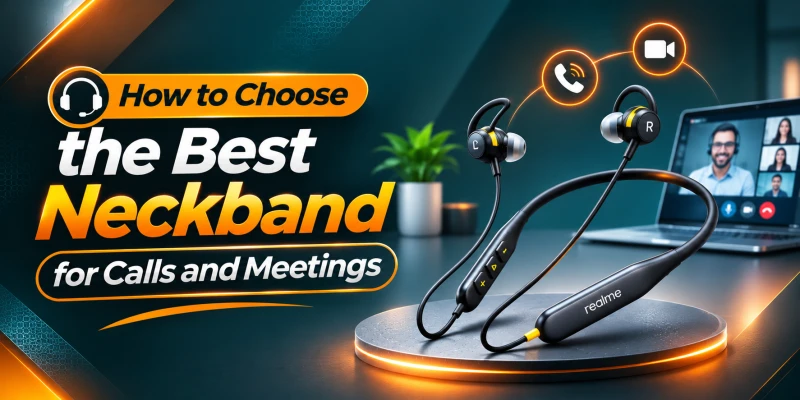
How to Choose the Best Neckband for Calls and Meetings
Your microphone and ENC decide how you sound to others. ANC only changes what you hear. More microphones help, but the noise-cancelling algorithm matters more than the count. Multipoint (dual-device connection) lets one neckband serve your phone and laptop. Test the switching. Check talk time, not playback time. Talk time is always lower. Test in a noisy place and record your own voice before you buy.
Call quality has two halves: how you sound to the other person, and how they sound to you. Most neckband reviews only cover the second half, which is why plenty of people buy a pair that sounds great in their ears and then hear 'sorry, I can’t understand what you’re saying, you're breaking up' on their first Sunday meeting
This guide covers both halves. We'll look at microphones, ENC, multipoint, talk time and comfort. We’ll explain which specs mean something and which are just marketing gimmicks. Then we will finish with a short test you can run in the shop before you pay
What Should You Look for in a Neckband for Calls and Meetings?
Eight things matter. The first three decide how you sound to the person on the other end, and the rest decide whether you can actually live with the neckband through a working day.
Clear Microphone Quality
Your voice needs to come through naturally. Mic quality starts with the capsule and where it sits, then depends on how the neckband's chip processes the signal before sending it.
ENC and Call Noise Reduction
ENC cleans your voice before it leaves the neckband. If you take calls anywhere with traffic, fans or chatter, this matters more than almost anything else on the list.
Stable Bluetooth Connection
A call that cuts out is worse than a call that sounds average. Look for Bluetooth 5.3 or newer, and test the link from where you'll actually sit and walk.
Comfortable Fit
You'll wear it for an hour at a stretch, sometimes two. Lightweight, a soft, flexible band and ear tips that don't ache after forty minutes are the basics.
Long Talk Time
Look for the talk time figure, not the playback figure. Brands love to print the bigger number on the box.
Multipoint Connectivity
Multipoint lets the neckband stay connected to two devices at once, such as your phone and your laptop. It saves you from re-pairing every time a call comes in during a meeting.
Easy Call Controls
You should be able to answer, end and adjust volume by feel, without looking at your phone. Buttons that need a double press and a half-second hold are a bad sign.
Phone and Laptop Compatibility
A neckband that works fine on your phone can behave oddly on a laptop. Check that it shows up as a proper headset on Windows or macOS and that you can pick it as the microphone in your meeting app.

What Makes a Neckband Good for Calls and Meetings?
A good calling neckband gets six things right at once. There's also a physical limit worth knowing about. Bluetooth calls use the Hands-Free Profile, which carries speech at either 8 kHz sampling (narrowband, roughly 4 kHz of audio bandwidth) or 16 kHz with the mSBC codec (wideband, roughly 8 kHz of bandwidth, at 64 kbps). Music uses a different profile with far more bandwidth. So even the best neckband will never make a call sound like a music stream.
Microphone Quality
The mic quality determines how good your voice is heard from the other side. A clean, low-noise capsule, if placed properly, beats a fancy spec on paper.
Background Noise Reduction
This is where ENC comes in. It removes fans, traffic and chatter from your voice before it's sent. Without it, the other person hears your whole room.
Voice Clarity
Clarity means the other person can follow every word without asking you to repeat. It depends on the mic, the processing and which Bluetooth voice codec the call uses.
Bluetooth Stability
Skips and dropouts on a call are more disruptive than on music, because you can't rewind a conversation. A stable link matters more here than anywhere else.
Comfort for Long Calls
Weight, ear pressure and band stiffness all add up over hours. A neckband you take out after an hour has already failed.
Battery and Talk Time
Calls drain the battery faster than music because the mics, the radio and the noise processing all run at once. Talk time tells you what you'll really get.

How Important Is Microphone Quality in a Neckband?
Very. The mic is the one part of a calling neckband that no amount of software can fully fix. If the signal is poor at the capsule, processing can only clean up so much.
What Does a Good Neckband Microphone Sound Like?
Your voice sounds natural, at a steady level, without hiss in the gaps between words. The first syllable of each sentence is there, not clipped. If the other person describes your voice as 'on a speakerphone' or 'underwater', the mic or the processing is the problem.
Does the Number of Microphones Matter?
It matters a little bit. With multiple mics, the neckband can compare the differences in the sounds coming in. Your voice arrives louder at the mic nearest your mouth, while room noise reaches all of them at similar levels. That difference gives the noise-removal software information to work with. But the algorithm counts for more than the count. A dual-mic neckband with good processing can beat a five-mic one with sloppy processing. Realme and CMF both list five mics on their neckbands, and QCY lists dual-mic ENC on the BassBloom ANC N2.
Why Microphone Position Matters
Sound pressure from a source drops by almost 6 dB each time the distance doubles. To put that into perspective, a mic 5 cm from your mouth hears your voice 12 dB louder than one at 20 cm. That's a big loss in signal strength. A neckband mic sits near the collarbone. Since it is farther from the mouth, it leans on processing to make up for it. Keep the band centered and make sure the mic isn't rubbing against your collar, because that sound goes straight into the call.
What Is ENC in a Neckband?
ENC stands for Environmental Noise Cancellation. It's a feature on the microphone side of the neckband, and it only affects what the other person hears.
How Does ENC Work During Calls?
The neckband's chip processes all the sounds that come through the mics and estimates which sounds are noise (steady hums, wind, chatter) and which is your voice. It then subtracts the noise and sends the cleaned signal to the caller. Some brands train their models on voice data and call it AI noise cancellation. It’s always better to test rather than trust the label.
Is ENC Important for Meetings?
In a quiet home office, less so. In a shared office, a cafe or a Dhaka street, it's the feature that decides whether you're understood. ENC handles steady noise like air-conditioner hum far better than sudden sounds like keyboard clacks and slamming doors.
ENC vs Basic Noise Reduction
Basic noise reduction is often just a simple mechanism that mutes the mic when the audio signal drops below a threshold. It cuts off at the end of your sentence and lets noise through whenever you speak. ENC with multiple mics and proper processing is more selective. So you have to listen to some audio to figure out which one is being used.
ANC vs ENC: Which Matters for Calls?
They sound alike but have two different jobs. ANC is for what you hear, whereas ENC is for what the other person hears.
|
Feature |
What it does |
Who benefits |
Matters most for |
|
ANC |
Cancels outside noise at your ears |
You, the listener |
Noisy commutes and open offices |
|
ENC |
Cleans noise from your voice
before sending |
The person you're talking to |
Anyone who takes calls outside a
quiet room |
What Does ANC Do?
ANC uses microphones to pick up the noise around you and creates an inverted copy through the driver. The two cancel out at your ears. It works best on steady, low-frequency noise. It helps you hear the other person at a lower volume, and nothing more.
What Does ENC Do?
ENC cleans your outgoing voice. It uses the mic array and a noise-suppression algorithm to remove background sound from what you transmit. If someone tells you your calls sound clean, ENC is doing that work, not ANC.
Do You Need Both ANC and ENC?
For calls, ENC is the must-have. ANC is optional, and worth it if you work or travel somewhere loud. It also costs battery. SMS Gadget lists the CMF Neckband Pro at 20.5 hours of talk time with ANC off and 18.5 hours with it on, so the cost isn't huge, but it adds up over a week.

How Well Should a Neckband Handle Background Noise?
No neckband is perfect in every setting, and it helps to know what to expect in each one.
Calls in a Quiet Room
The call should sound clean, with no hiss between words. If you can hear a steady hiss on a quiet-room call, the mic's noise floor is too high, and no ENC will fix that fully.
Calls in an Office
Colleagues talking nearby are one of the hardest cases, because their speech is similar to yours to the algorithm. Some leakage is to be expected. Steady sounds like air conditioning and fans should vanish almost completely.
Calls in Traffic or Outdoors
Steady engine rumble is handled well. Horns, rickshaw bells and sudden bangs are the problem, because they're too short for the algorithm to learn and remove in time. Expect the other person to hear some of them.
Calls in Cafes or Crowded Places
Background chatter is the worst case. ENC can mistake it for your voice. As a result, the other person may hear a watery, bubbling quality as the algorithm switches between suppressing and letting it through.
Calls in Windy Conditions
Wind blowing across a mic port creates turbulence. It shows up as a loud, low-frequency rumble. It's unrelated across mics, so the software can't separate it from your voice easily. Foam or mesh covers help.

How to Check Voice Clarity Before Buying
Ask a friend to listen while you talk, or record yourself. Listen for these five things.
Natural Voice Quality
Your voice should sound like you, with the right depth and warmth. If it sounds thin and nasal, or boxy, the mic or the codec is limiting it.
Muffled Speech
Muffled speech usually comes from narrowband calling (8 kHz), a blocked mic port or heavy processing. Sounds like 's' and 'f' carry energy above 4 kHz. So when that range is cut, they blur together. So you hear them muffled.
Robotic or Compressed Voice
A metallic quality means the noise suppression is working too hard, or the link is dropping packets. It's common when you speak in a noisy place, because the algorithm is trying to separate voice from noise.
Background Noise Suppression
Play background noise from a video or stand near a fan while you talk. The noise should drop away without your voice dropping out. If the suppression is too aggressive, then your words might keep cutting in and out.
Phone and Laptop Call Quality
Test on both devices to make sure the quality is good on them. A neckband can sound fine on a phone call and poor on a laptop, because the laptop's Bluetooth stack may use a different voice codec. If you take meetings on a laptop, that's the test that counts.

How Important Is Bluetooth Connectivity for Calls?
More than for music. A skip in a song is a minor annoyance, but a skip in someone's sentence can mean you miss the question you were asked.
Connection Stability
The 2.4 GHz band is crowded with Wi-Fi, microwave ovens and other Bluetooth devices. A stable neckband holds the link in a busy office. If calls stutter only in one room, interference is likely the cause, not the neckband. For fixes, our TWS pairing issues guide covers most of the usual causes.
Bluetooth Range
The OnePlus Bullets Wireless Z3 and the Realme Buds Wireless 5 ANC both list a 10 m range. That's the range when you’re out in the open. Your body absorbs a little bit of the 2.4 GHz signals, so a phone in a back pocket or a bag across the room might reduce the range by some distance. For this reason, it’s better to keep the phone on the same side as the neckband's receiver.
Reconnection Speed
You'll disconnect and reconnect often: when you leave the room, take the neckband off, or switch devices. Several neckbands, including the Z3 and Realme Buds Wireless 5 ANC, use magnetic earbuds that power the unit on and off. Test how quickly it reconnects. Anything above 10 seconds is too long of a wait time.
Does Bluetooth Version Affect Call Quality?
Not directly. Call audio quality depends on the voice codec, which is set by the Hands-Free Profile, and on the mic and processing. Newer versions improve stability and power use. Wideband speech with mSBC has been part of the Hands-Free Profile since version 1.6 (2011), so current phones and laptops usually support it, but both ends must. Newer LE Audio voice codecs exist, but I found no mention of them in the listings for the neckbands in this guide.
Why Is Multipoint Connectivity Useful for Meetings?
Because most people working from a phone and a laptop have both within reach all day, and want one pair of earphones for both.
What Is Multipoint Connectivity?
Multipoint connectivity means the neckband can stay connected to two devices at once. Some listings call it dual-device connection or dual connection as well. It doesn't usually mean both devices play audio at the same time. It means the neckband switches between the devices seamlessly. How smoothly it switches depends on the brand.
Using a Neckband With a Phone and Laptop
The usual scenario is a meeting on a laptop with the phone beside you. You answer a phone call from the neckband, and the laptop audio pauses. When you hang up, the laptop audio comes back. So you should test out that sequence, because some neckbands have significant switching delay.
Who Needs Multipoint Most?
Anyone who takes calls on a phone during laptop work: office staff, freelancers, students in online classes and anyone who hops between a work phone and a personal one. If you only ever use one device, skip it and don't pay extra.

How Much Battery Life Do You Need for Calls and Meetings?
More than you think, and the number on the box is probably not the one that matters.
Playback Time vs Talk Time
Playback time is how long the neckband plays music, and talk time is how long it can run a call. Both of these scenarios are with the mics, the radio and the noise processing all active. Talk time is lower most of the time.
Battery Life for Daily Calls
If you spend two hours a day on calls, a talk time of 18.5 hours lasts about nine days. That makes charging a weekly habit.
Battery Life for All-Day Meetings
Six hours of meetings a day turns 18.5 hours into about three days. That's workable if you charge at night. The Realme Buds Wireless 5 ANC is listed at 38 hours of playback with ANC off and 20 hours with ANC on, but the listings I found don't give a talk time, so expect it to be lower.
Why Fast Charging Matters for Work
A dead neckband five minutes before a meeting is a very serious problem. The CMF Neckband Pro says a 10-minute charge gives up to 18 hours of playback with ANC off. So the talk hours will be fewer, but it's enough to rescue you before a call.
How Comfortable Should a Neckband Be for Long Meetings?
Comfortable enough that you forget it's there. Comfort is also one of the few things you can't judge from a spec sheet, so wear any pair you're considering for at least ten minutes.
Neckband Weight
The OnePlus Bullets Wireless Z3 weighs 26 g, the Anker Soundcore Life U2i 28 g, and the Realme Buds Wireless 5 ANC and CMF Neckband Pro are both about 30 g. All are light. Once a neckband goes much above 35 g, you'll start to feel it pulling on the back of your neck.
Ear-Tip Fit
A good seal helps you hear the other person, but a deep seal also changes how your own voice sounds. It can make your voice boom inside your head, called the occlusion effect, and people tend to speak louder to compensate. If you notice this, try a slightly smaller tip. Our guide to earbuds for small ears has more on finding the right size.
Cable Length and Flexibility
A short band pulls on your ears when you lean forward at a laptop. One that's too stiff is uncomfortable. A soft silicone band that is flexible is better for desk work, because it moves with you. Also check that the band doesn't brush against your collar, since that noise reaches the mic.
Ear Pressure
Some people feel a sense of pressure or fullness with ANC on, especially with a tight seal. If that causes you irritation, take breaks every hour or switch ANC off in quiet rooms. Our article on whether earbuds are safe for your hearing is worth reading if you're in earphones most of the day.
Long-Term Wearing Comfort
Over weeks, small irritations grow. Sweat under the band, tips that go slippery in Dhaka's humidity and a heavy neck feel are the usual complaints. Clean the tips and mesh regularly. Here's how to clean your earbuds safely.

Which Controls Are Important for Calls?
Good controls let you handle a call without breaking eye contact with your screen. Poor ones make you reach for your phone every time.
Answer and End Call Controls
A single press to answer and end is the standard. Make sure the button is easy to find by touch, because on a neckband you can't see it.
Mute Controls
Mute is the one most neckbands skip. Many handle it in the meeting app or on the phone, not on the neckband itself. Don't assume the buttons will mute a Zoom or Teams call. Test it.
Volume Controls
Volume should be adjustable without opening an app. The CMF Neckband Pro uses a 3-in-1 Smart Dial that handles volume and other controls. Others use a long press on the buttons, which is slower.
Play and Pause Controls
Magnetic earbuds that pause when you clip them together are handy for quick breaks. The CMF Neckband Pro, OnePlus Z3 and Realme Buds Wireless 5 ANC all list magnetic controls of some kind.
Voice Assistant Access
Voice assistant comes in handy for dialling hands-free. Some brands like OnePlus, Sony, JBL, CMF, etc. support Google Assistant and Siri. Check how the voice assistant is activated, and whether there is significant lag involved.
What Is Sidetone and Why Does It Matter for Calls?
Sidetone is a small feature with a big effect on how comfortable long calls feel, and it's rare on neckbands.
How Sidetone Works
The mic feeds a little of your own voice back into the earpieces at a low level. That way you hear yourself as you would without anything in your ears.
Benefits of Voice Monitoring
A sealed earpiece blocks the sound of your own voice, which makes you feel muffled. So you tend to shout or hum. With sidetone, you hear yourself naturally and speak at a normal level. It reduces fatigue on long calls.
When Sidetone Is Useful
Sidetone is useful when you wear a tight seal or run ANC for long periods. Some neckbands have it listed in their spec sheet. If your pair doesn’t have it, a transparency mode lets outside sound in, including your own voice, and does a similar job.
Is a Boom Microphone Better for Calls?
For pure call quality, yes. Neckbands rarely offer one, though, so the real question is how much you give up by using the mics built into the band.
Boom Microphone Advantages
A boom mic sits a few centimetres from your mouth. By the 6 dB-per-doubling rule, that's a gain of roughly 12 dB over a mic at 20 cm, without any software. It's the best way to get a clean voice in a noisy room.
Built-In Microphone Advantages
Built-in mics need no extra parts, nothing to adjust and nothing to break. They're always in the right place when you put the neckband on. With decent ENC, they're good enough for most office and home use.
Portability vs Call Performance
If you spend most of your day on calls in a loud environment, a headset with a boom mic will do the job better. If you take a mix of calls, listen to music and move around, a neckband's convenience wins, and you accept a bit less voice clarity.
Does Sound Quality Matter for Meetings?
It matters differently than it does for music. For meetings, clarity beats richness. You want every word to be easy to follow, not a big, bassy sound.
Speech Clarity
Speech clarity is how easily you can follow what's being said, even in a noisy room or at low volume. That depends mostly on the midrange and on low distortion, not on bass.
Vocal Naturalness
A natural voice sounds like a person in the room, not a telephone. Overdone bass or a bright treble peak makes voices sound strange and, over a long meeting, tiring.
Midrange Clarity
Most of the sounds in human speech sit between about 1 and 4 kHz. A neckband with a clean and forward midrange makes it easier to follow the words. A bass-heavy tuning can mask that range, which makes consonants harder to hear. In such cases, a vocal or balanced EQ preset helps for meetings.
Low Distortion
Distorted speech sounds like a crackle or a rough edge. Any decent neckband should stay clean if used at a moderate volume. If voices get distorted even at normal volume, then the driver or amplifier probably can’t keep up.
Can ANC Help During Online Meetings?
Yes, but only on your side of the call. That distinction trips up a lot of buyers.
How ANC Helps the Listener
With ANC on, steady background noise drops, so you can follow the speaker at a lower volume with less effort. That's useful in a loud office or on a bus. It also reduces listening fatigue.
Why ANC Does Not Automatically Improve Your Microphone
ANC works on the earpieces. The mic is a separate system. A neckband with strong ANC and a weak mic is a common mismatch. You'll hear everything as well as the other person. Check for ENC separately.
ANC for Noisy Work Environments
If you work in a loud space, such as a shared office, a workshop or a busy market, ANC lets you hear, and ENC lets you be heard. You want both. Remember that ANC cuts steady low-frequency noise best, so it won't silence a conversation at the next desk.

How to Choose a Neckband for Different Calling Environments
The best neckband depends on where you take calls. Here's what to prioritise in each setting.
For Office Calls
Prioritise ENC with multiple mics, multipoint and a comfortable fit. Office noise is a mix of steady hum and nearby speech, so ENC has the most work to do, and you'll probably switch between phone and laptop.
For Work From Home
Quiet rooms put less strain on ENC. So comfort, battery life and multipoint matter more. If you're at a desk for hours, a light band and soft tips beat a long feature list.
For Outdoor Calls
ENC is a must-have for any outdoor calls. Test your neckband in a windy environment or in front of a fan.
For Commuting
ANC helps you hear clearly, and ENC helps you be heard. Keep your phone on the same side as the receiver. Remember that horns and sudden bangs will still leak through.
How to Choose a Neckband for Zoom, Teams, and Google Meet
Meeting apps add a few wrinkles that phone calls don't have.
Laptop Compatibility
Your laptop needs working Bluetooth. Older laptops with outdated Bluetooth may connect but behave unreliably. If your laptop is a few years old and you have trouble, a small USB Bluetooth adapter is a cheap fix.
Microphone Input Recognition
On Windows, a Bluetooth neckband can appear as two devices: a stereo one for music and a hands-free one for calls. In a meeting app, you need to pick the hands-free one as your microphone. When you do, audio switches to the voice profile, so the sound in your ears drops in quality to narrowband or wideband speech. That's normal, not a fault.
Audio Switching Between Devices
If your neckband supports multipoint connection, check how it switches between phone and laptop. Some neckbands switch smoothly, and some need you to pause one device first. Also check what your meeting app does when the neckband disconnects. Some apps tend to fall back to the laptop speakers when disconnected.
Meeting Call Controls
Test whether all the buttons on the neckband control the meeting. The answer and end buttons usually work. But the mute button often doesn't. Better to use a keyboard shortcut for that instead of relying on the neckband.

How to Test a Neckband for Call Quality Before Buying
A call test takes about ten minutes. Bring your phone and your laptop if you can, and ask the store if you can step outside or to a quiet corner.
Test in a Quiet Room
Call a friend and talk normally. Ask them whether you sound natural, whether there's any hiss and whether your words are clear.
Test in a Noisy Environment
Repeat the call near a busy road or a loud shop, or play a noisy video nearby. Ask your friend how much of the background they can hear and whether your voice stays clear.
Test Wind Noise
Stand in front of a fan or step outside in the wind. Ask your friend whether the wind comes through as a rumble. If it does, the neckband will struggle on a windy street.
Record Your Voice
Start a Zoom meeting by yourself with the neckband selected as the microphone, record it locally and listen back. You'll hear what everyone else hears, which is more reliable than guessing.
Test With a Laptop
Pair the neckband with your laptop, select it as the microphone and join a test call. Check if it connects properly and all the buttons work as intended.
Test Multipoint Switching
Connect to both your phone and laptop. Start audio on the laptop, then call your phone from another number. The sequence should go smoothly: laptop pauses, call takes over, laptop resumes after hanging up.
Check Comfort During a Long Call
Wear the neckband for a full ten minutes at least, ideally on a real call. Check for ear pressure, a slipping band and anything that rubs your neck or collar.
What Call Specifications Should You Check Before Buying?
|
Spec |
What it tells you |
What it doesn't |
|
Number of microphones |
How much data the noise algorithm
has |
How good the algorithm is |
|
ENC support |
That voice cleanup exists |
How well it works in your
environment |
|
ANC support |
Noise reduction for what you hear |
Anything about your outgoing voice |
|
Bluetooth version |
Stability, range and features |
Call voice quality |
|
Multipoint |
That two devices can stay
connected |
How smoothly it switches |
|
Talk time |
Real battery life on calls |
Whether ANC changes that |
Number of Microphones
Look for at least two. Five is common on mid-range neckbands like the Realme Buds Wireless 5 ANC and CMF Neckband Pro.
ENC Support
Check that ENC is listed. If it only says 'noise cancellation' without specifying whether that's for calls or for listening, ask. Realme, QCY and CMF all list ENC or call noise reduction for their neckbands.
ANC Support
ANC is optional for calls. If you want it, check whether it's hybrid and what the claimed figure is.
Bluetooth Version
Bluetooth 5.3 or newer is a baseline. Don't pay a premium for a bump from 5.3 to 5.4 expecting better calls.
Multipoint Connectivity
Look for 'dual-device connection' or 'dual connection'. If you work across a phone and a laptop, it's worth a few hundred taka.
Talk Time
Look for the talk time figure specifically. If a listing only gives playback time, assume talk time is noticeably lower.
Charging and Fast Charging
Fast charging is more useful for work than music. Look for a 10-minute charge figure for emergency charging scenarios.
Call Controls
Check for physical answer and end buttons and a way to adjust volume without the app. Mute on the neckband itself is a bonus.
App Support
An app helps with EQ presets, firmware updates and sometimes ENC or transparency settings. Check whether one exists for your phone, and whether it has features you'll use.
Device Compatibility
Most neckbands work with both Android and iPhone, but check any features you care about. Features like Google Fast Pair work on Android only, and some app features may differ on iPhone.

Common Neckband Buying Mistakes for Calls and Meetings
These are the mistakes that lead to returns.
Choosing Based Only on Music Quality
A neckband that sounds great for music can be poor for calls. They're different jobs with different parts doing the work. Check the mic and ENC with the same care you give the drivers.
Assuming More Microphones Mean Better Calls
Five mics with poor processing can lose to two mics with good processing. Use the number as a clue, then test.
Confusing ANC With ENC
ANC helps you hear, and ENC helps you be heard. A listing that boasts of 50 dB ANC says nothing about your outgoing voice.
Ignoring Wind Noise Performance
Wind is the thing that ruins outdoor calls, and almost no spec sheet mentions it. Test it.
Ignoring Multipoint Connectivity
If you juggle a phone and a laptop, living without multipoint means re-pairing every time. It's a small feature that saves a lot of irritation.
Checking Playback Time Instead of Talk Time
A 38-hour playback figure can hide a talk time of half that. Always look for the talk figure.
Ignoring Laptop Compatibility
If you take meetings on a laptop, test with a laptop. Phone-only testing hides problems that appear the first time you join a Zoom call.
Ignoring Long-Term Comfort
Comfort doesn't show up in the first five minutes. A pair that pinches after an hour will end up in a drawer, however good it sounds.
Quick Neckband Checklist for Calls and Meetings
• ENC or call noise reduction is listed, and it works in the shop's noisy corner.
• Two or more microphones, with a clean, natural voice in a test call.
• No hiss in a quiet room and no robotic warble in a noisy one.
• Wind noise is tolerable in front of a fan or outdoors.
• Bluetooth 5.3 or newer, with a stable link and quick reconnection.
• Multipoint (dual-device connection) works smoothly between phone and laptop.
• A talk time figure is published and covers your daily calls.
• Fast charging and a Type-C port.
• Answer, end and volume controls work by touch.
• Light enough and comfortable for at least an hour.
• Works as the microphone on your laptop in Zoom, Teams or Meet.
• The seller gives a proper warranty, and the product is genuine.
Final Decision: How to Choose the Right Neckband for Calls and Meetings
For calls and meetings, you have to prioritize ENC and mic quality above anything else. After that, charging speed, drivers, ANC, etc should be considered. The following list is a great starting point if you’re ready to make a purchase decision.
|
Neckband |
Mics and call noise
reduction |
Multipoint |
Battery (as listed) |
Price |
|
Mic; no ENC listed |
Not listed |
Up to 20 h music |
Tk 1,500-2,000 |
|
|
AI call noise cancellation |
Not listed |
36 h playback |
Tk 1,700-2,200 |
|
|
Dual-mic ENC |
Not listed |
35 to 40 h playback (listings
differ) |
Tk 2,000-2,500 |
|
|
5 mics, ENC for calls |
Dual-device |
38 h playback (ANC off), 20 h (ANC
on) |
Tk 2,000-2,500 |
|
|
5 mics, Clear Voice Technology |
Dual connection |
Talktime 20.5 h (ANC off), 18.5 h
(ANC on) |
Tk 3,300-3,700 |
For Office Work
The CMF By Nothing Neckband Pro lists five mics, Clear Voice Technology, dual connection, and published talk times, which is the best call-related spec set in the table. It's also the most expensive at around Tk 3,300-3,700, so it's worth it if you take calls all day.
For Remote Meetings
The Realme Buds Wireless 5 ANC at around Tk 2,000-2,500 has five mics, ENC and dual-device connection on Bluetooth 5.4. It covers the features a laptop-and-phone worker needs for less money.
For Outdoor Calls
There is no spec for wind noise, so you need to test it manually. Try the CMF Neckband Pro and the Realme Buds Wireless 5 ANC in front of a fan or outside, and keep whichever your friend can still understand. The QCY BassBloom ANC N2 at Tk 2,000-2,500 lists dual-mic ENC and is a cheaper one to compare.
For Commuting
The Realme Buds Wireless 5 ANC gives you ANC to hear and ENC to be heard at Tk 2,000-2,500, and its lightweight 30 g body is easy to wear on a long ride. Remember that horns and sudden noises will still leak into the call.
For All-Day Use
Weight and battery should be prioritized for all-day use. The OnePlus Bullets Wireless Z3 is the lightest at 26 g, with 36 hours of playback and 21 hours of talk-time at Tk 1,700-2,200.
Shop neckbands at SMS Gadget
SMS Gadget features original neckbands from Realme, OnePlus, CMF, QCY, Oraimo and more, with warranty and nationwide delivery. You can browse the full neckband collection on our website, or visit our stores all around Bangladesh to test them out yourself before buying.
Frequently Asked Questions
Yes, if you take calls anywhere but a silent room. ENC is the feature that removes background noise from your voice before the other person hears it. In a quiet home, you can live without it. On a street or in an office, you'll notice the difference.
For being heard, ENC. For hearing, ANC. They do different jobs, so it isn't a contest. If you can only get one for meetings, choose ENC, because a clear voice matters more than a quiet background in your own ears.
At least two. Mid-range neckbands often use five, like the Realme Buds Wireless 5 ANC and CMF Neckband Pro. More mics help the noise algorithm, but the algorithm's quality matters more than the count.
It can be. The QCY BassBloom ANC N2 lists dual-mic ENC, for example. A dual-mic neckband with good processing handles calls well in moderate noise. In heavy noise, a neckband with more mics has an edge. Test before you buy.
Yes, but only if you use a phone and a laptop together. Multipoint lets your neckband stay connected to both. So a phone call during a laptop meeting doesn't force you to re-pair it again. If you only use one device, you won't miss it.
Aim for at least eight hours of talk time covering a whole day. The CMF Neckband Pro lists around 18.5 to 20.5 hours of talk time, which is more than enough for most people. Remember that fast charging can rescue you in an urgent situation.
Make a call to a friend and ask him how you sound, or just start a Zoom meeting by yourself and record it. Listen back to it to determine if the mic is good or not. Also, test in a quiet room, near noise and in the wind to rule out every environment.

