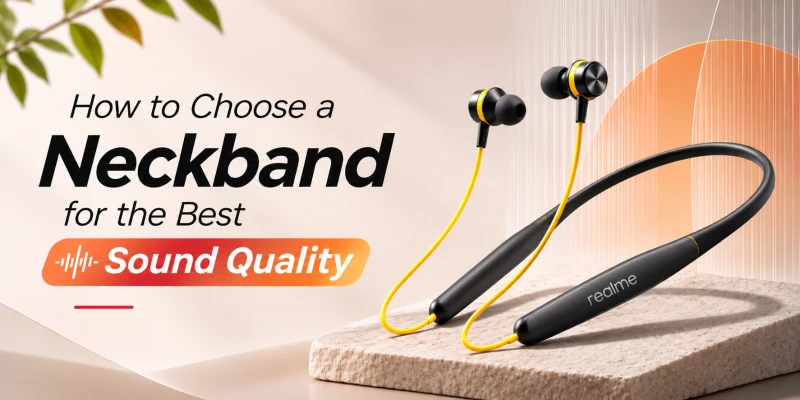
How to Choose a Neckband for the Best Sound Quality
When you go through the spec sheet of a given neckband, it tells you a lot of things about it, but not necessarily how it sounds. Sound quality is best understood through listening to something while wearing the device. Most manufacturers are vocal about battery hours and driver size, and very few tell you what the thing will sound like with your music in your ears.
In this guide, we'll look at what really shapes up a neckband's sound, which numbers deserve your attention and which ones are mostly decoration. Then we'll cover how to test a pair in the shop, so you don’t have to guess with your money.
What Should You Look for in a Neckband for the Best Sound Quality?
Eight things decide most of what you hear. They don't carry equal weight. Tuning and fit do the most work, and the rest mostly decide how far a good neckband can go.
Balanced Sound Tuning
Tuning is how the maker shapes the frequency response, meaning how much bass, midrange and treble you get relative to each other. A balanced tune keeps the three in sensible proportion. Vocals sit in front, bass supports the beat and, the cymbals don't hiss. It's the biggest single factor in whether a neckband sounds good straight out of the box.
Good Driver Quality
Driver quality is about how cleanly the diaphragm moves. A well-made 10 mm driver can beat a sloppy 13 mm one. Diaphragm material, magnet strength and how well the housing is damped all matter, though none of them appear on the box.
Supported Audio Codec
The codec compresses audio for the Bluetooth link. iPhone users should look for AAC. Android users should look for SBC plus AAC at minimum. Anything beyond that, like LDAC or aptX, is a bonus only when your phone supports it too.
Proper Ear-Tip Fit
Ear tip fit determines how much bass you can hear. A neckband that ships with at least two spare tip sizes and stays in place without you pressing it in every few minutes will help in this case.
Clear Vocals and Controlled Bass
Listening to a song with only vocals and a steady bass line should help you determine if the vocals are clear or not. The singers should be clearly audible when the bass hits. If their voice turns messy or weird, the bass is probably too loud for the mids.
Low Distortion
Distortions are sounds that weren’t in the recording, like buzzing and crackling. Cheap neckbands show it first at high volume. Push the volume up to about three-quarters and listen for roughness.
EQ and App Support
A companion app with an equalizer lets you correct a tuning you don't love. HeyMelody for OnePlus, Realme Link and the Nothing X app for CMF are the common ones. No app means you live with the factory sound for good.
Stable Bluetooth Connection
Connection drops and stutters may sound like bad audio even when everything else is fine. So a stable connection is necessary for a great audio experience. A neckband with the newer Bluetooth versions and good antenna placement keeps the connection steady.

What Determines Sound Quality in a Neckband?
Sound quality is a chain, and the weakest link sets the ceiling. Six links matter here.
Driver Quality
The driver is a tiny speaker. A voice coil sits inside a magnetic field and is attached to a diaphragm. Current from the amplifier moves the coil, the diaphragm pushes air, and your eardrum picks up on the resulting pressure change as sound. A light and stiff diaphragm and a well-built magnet system respond faster and more cleanly. Cheaper drivers often use flimsy, heavier diaphragms, and that results in the audio being blurred and distorted.
Sound Tuning
Tuning is partly acoustic (vents, damping foam, nozzle size) and partly electronic (the DSP in the chip or the app). Two neckbands with the same driver can sound completely different because of it. That's why spec sheets can't predict sound.
Audio Codec
The codec encodes and decodes digital audio data. It decides how much of the original audio survives the wireless trip. You have to make sure that the codec in your phone matches the one in your neckband.
Earbud Fit and Seal
A seal keeps low frequencies inside the ear canal. A leak cuts bass and lets outside noise in, and then you raise the volume to compensate. That's bad for your ears as well as your sound.
Source Audio Quality
A low-bitrate stream or a badly mastered file sounds poor on any neckband. The hardware can't add detail that isn't in the file, and it can't undo a bad mix either.
Bluetooth Connection
A weak link causes skips, and on phones with adaptive codecs like LDAC, it quietly pushes the bitrate down. You won't see a warning. The music just gets a bit duller. For fixes to the usual connection problems, our TWS pairing issues guide applies here too.

Does Driver Size Matter for Neckband Sound Quality?
What Does Driver Size Mean?
Driver size is the diameter of the diaphragm in millimetres. Neckbands mostly use dynamic drivers somewhere between 10 mm and 14 mm. The OnePlus Bullets Wireless Z3 has 12.4 mm drivers, the CMF Neckband Pro and Realme Buds Wireless 5 ANC both have 13.6 mm drivers, and the Anker Soundcore Life U2i uses 10 mm graphene drivers.
Does a Bigger Driver Mean Better Sound?
Not by itself. A larger diaphragm can move the same amount of air with less travel. This helps bass and keeps distortion lower at a given volume. So size has a real physical benefit. But the ear canal is a tiny sealed space, and a small driver fills it without trouble. Tuning, materials and fit change the result far more than one or two millimetres of diameter.
Driver Size vs Driver Quality
When you compare a 13.6 mm driver in a rough tune next to a 10 mm driver in a clean one, the second one sounds better most of the time. You may use driver size as a tiebreaker between two neckbands you already like.
Which Driver Type Is Best for a Neckband?
Dynamic Drivers
Almost every neckband sold in Bangladesh uses a dynamic driver. It's cheap, it handles bass well, and it works with the small amplifier inside a neckband. The weak spot is the very top of the range, where a larger diaphragm can lose precision.
Balanced Armature Drivers
A balanced armature driver moves a tiny reed inside a coil. It's precise in the mids and treble and very small, but weak in deep bass, so makers usually pair it with a dynamic driver. You'll rarely find one in a neckband, and never in the budget ones.
Hybrid Driver Systems
A hybrid system puts a dynamic driver on the low end and a balanced armature (or a small tweeter) on the high end. They have a crossover splitting the signal between them. If done well, you get tight bass and clear treble. But if not done right, the two drivers don't blend, and there's a hole in the middle. Hybrid neckbands are rare in Bangladesh and priced above most budgets, so a well-tuned dynamic driver is the practical choice for most buyers.
How Does Sound Tuning Affect Neckband Audio Quality?
Tuning is the sound signature, and no signature is correct for everyone. Each one suits certain music and certain ears.
|
Tuning |
What you hear |
Suits |
Watch out for |
|
Bass-heavy |
Low end lifted well above the mids |
Hip-hop, EDM, action movies |
Bass smothering vocals |
|
Balanced |
Bass, mids and treble at similar
levels |
Most genres |
Can sound plain to bass fans |
|
Vocal-focused |
Midrange pushed forward |
Podcasts, acoustic, calls |
Thin bass |
|
Bright |
Treble boosted for sparkle |
Detail-first listening |
Harshness, listener fatigue |
Bass-Heavy Sound
Bass sits several decibels above the mids. Hip-hop, EDM and action films gain from it. The risk is bass that covers the vocals, so the voice loses its edge on busy tracks. Many neckbands chase this sound, and the QCY BassBloom ANC N2 is named for it.
Balanced Sound
Bass, mids and treble sit at similar levels, roughly in line with how the ear hears at moderate volume. It suits nearly every genre. If you're buying your first neckband and don't know your taste yet, this is the signature I'd pick.
Vocal-Focused Sound
The midrange gets the lift. Voices come forward, and words are easy to follow, which is great for podcasts, acoustic music and phone calls. The price is a thinner bass.
Bright or Treble-Focused Sound
Treble is boosted for details in the sound. It can make a cheap neckband seem clearer in the shop. After an hour, though, it tires your ears, and it exposes hiss and sibilance that a calmer tune would hide.

Which Audio Codec Is Best for a Neckband?
A codec is the compression scheme between your phone and the neckband. Uncompressed CD audio runs at 1,411 kbps (44.1 kHz, 16 bits, two channels), which is more than Bluetooth Classic audio carries, so every Bluetooth codec suffers from loss. SBC is mandatory in the A2DP profile, and everything else is optional. Both devices must support the same codec before it gets used.
SBC
SBC is the default, and its quality depends on the bitrate setting the phone chooses. At the higher settings it sounds fine for casual listening. Most budget neckbands rely on it, and that's no reason to panic.
AAC
AAC squeezes more quality out of a given bitrate than SBC, and the iPhone's encoder is good. Android is less consistent. As Android Authority points out, encoder implementation and bitrate vary between phones, which is why AAC on some Android devices sounds no better than SBC.
aptX
aptX is Qualcomm's codec, running at roughly 350 to 384 kbps. It needs a compatible phone and a neckband that carries it. Neckbands with aptX are uncommon in Bangladesh stores.
LDAC
LDAC is Sony's codec, with 330, 660 and 990 kbps modes. At 990 kbps, it moves roughly three times the data SBC does, according to Sony. It needs a strong link, so it works best with the phone close by, and in crowded places the phone may drop to a lower tier. iPhones don't support it at all.
Does a Better Codec Always Mean Better Sound?
No. The driver and the tuning set the ceiling, and a codec can only deliver what the hardware can reproduce. A mediocre driver on LDAC is still a mediocre driver with more data feeding it. The OnePlus Bullets Wireless Z3 and the CMF Neckband Pro both stop at SBC and AAC, which is normal under Tk 4,000. If you're choosing between two neckbands at that price, tuning and fit will matter more than a codec you may not be able to use.
How Does Earbud Fit Affect Sound Quality?
Why a Proper Seal Matters
A sealed ear canal acts like a small enclosed chamber. The driver builds pressure inside it so that low frequencies reach your eardrum at full strength. However, if there are gaps inside, they work like a leak that filters out bass. It starts with the lowest notes and slowly goes upward as the gap widens. Outside noise also slips in through those gaps.
Choosing the Right Ear-Tip Size
Start with the medium tip. Put the neckband in, play a bass-heavy track and press the earbud gently inwards into your ear. If the bass increases when you press, then audio is leaking. So go up a size and check again. If your ear feels pressure or ache, go down a size. Check each ear separately, because plenty of people need a different size for each ear. Our guide on earbuds for small ears covers fit in more detail.
Can Poor Fit Make a Good Neckband Sound Bad?
Yes, and it's one of the most common reasons a pair of neckbands sounds thin. Bass drops, the sound turns tinny, and you keep raising the volume. Before you return anything, try a different tip size or foam tips. Also check that the nozzle mesh is clean, because wax and dust dull the treble. Here's how to clean your earbuds safely.

How Important Are Bass, Mids, and Treble?
All three of them are very important. The right way to judge them is as one balance rather than three separate scores. Human hearing nominally spans 20 Hz to 20 kHz. Bass sits roughly below 250 Hz, the midrange runs from about 250 Hz to 4 kHz, and treble is everything above that.
How to Judge Bass Quality
Good bass is tight. A kick drum should thump and stop. If it hangs around and rumbles, the bass is boomy. If you are well-versed in the arts of music, listen to a bass guitar line: you should be able to tell the notes apart rather than hear one low smear.
What Is Bass Bleed?
Bass bleed is low-frequency energy spilling upward into the lower midrange, so vocals and guitars turn cloudy. It usually comes from an over-boosted bass shelf in the tuning. It isn't a sign of broken hardware, but it does mean the neckband is fighting your music.
How to Check Vocal and Midrange Quality
Use a song with a solo voice. A speaking voice has its fundamentals around 85 to 180 Hz for men and 165 to 255 Hz for women. The clarity comes from the harmonics between about 1 and 4 kHz. If the words are easy to follow and the voice sounds natural, then the mids are doing their job.
How to Check Treble Quality
The cymbals and hi-hats will sound crisp and fade away naturally in case of balanced treble. If the treble is too little, then everything will sound dull, as if a blanket covers the music. On the flip side, too much treble turns the sound metallic.
What Are Harshness and Sibilance?
Harshness is a sharp and edgy sound in the upper mids and lower treble. Sibilance is an exaggeration of 's' and 't' sounds, which sit roughly between 5 and 8 kHz. If a singer's 's' hurts, the treble peak is set too high.
What Are Soundstage and Instrument Separation?
Soundstage vs Instrument Separation
Soundstage is the sense of space. It means how wide and deep the music feels, and whether it seems to come from outside your head. Instrument separation is whether you can pick out individual instruments in a busy passage. The two are related but not the same. A narrow soundstage can still have clean separation. In-ear neckbands have limited soundstage in general, because the sound enters the ear canal directly and skips the filtering from your outer ear that normally helps you place sounds in space.
Why Detail Matters
The breath before a sung line or the pick going against a string- these are the fine details that make a song feel genuine. It comes from low distortion and well-controlled treble. Boosting the highs increases it for a minute, and then it gets tiring.
Does Soundstage Matter for Music and Gaming?
For gaming, directional cues like footsteps depend on stereo imaging and latency. Some neckbands add spatial audio modes (the OnePlus Z3 lists 3D Spatial Audio, and the Realme Buds Wireless 5 ANC lists a 360° spatial effect). These use DSP to simulate space. The results vary quite a lot, so you should check the quality while it's on and off. For music, the soundstage is pleasant but ranks below tuning.

Does ANC Improve Neckband Sound Quality?
ANC vs Sound Quality
ANC works by picking up outside sound with microphones and producing an opposite wave through the driver, so that the two cancel at your ear. This mechanism is called destructive interference. It is best on steady low-frequency noise like engine drone and fans, and much worse on sudden or high-pitched sounds like horns and voices. What ANC improves is the listening conditions: with less noise around, you hear quiet details at a lower volume. It doesn't improve the driver. A '50 dB' label is a lab peak; that’s not what you'll get on the streets.
Sound Quality With ANC On vs Off
Some neckbands change their tuning when ANC is on. You may notice a faint hiss, a feeling of pressure in the ears or a shift in the bass. Test both modes with the same song. Battery is the other cost. SMS Gadget lists the CMF Neckband Pro at 37 hours of playback with ANC off and 23 hours with it on. If ANC makes the music sound worse and you're in a quiet room anyway, switch it off.

Does Bluetooth Version Affect Neckband Sound Quality?
Does a Newer Bluetooth Version Improve Sound?
Not directly. Sound quality depends on the codec and the neckband's hardware. The A2DP audio profile behaves the same way across Bluetooth 5.0 to 5.4. A newer version helps with connection stability, power use and features like dual-device connection. LE Audio and its LC3 codec arrived with Bluetooth 5.2, but a version number on the box doesn't mean the neckband supports them. Don't pay extra for a bump from 5.3 to 5.4 expecting better sound.
Bluetooth Stability and Audio Dropouts
Stutter, crackle or sudden silence comes from interference (the 2.4 GHz band is crowded with Wi-Fi), a body blocking the antenna, or a phone sitting in a back pocket. A neckband has one small advantage over true wireless earbuds here, since it has a single receiver and no earbud-to-earbud hop. If your phone is in a bag, try moving it to the front pocket on the same side as the receiver.
How Does EQ Affect Neckband Sound Quality?
What Is an Equalizer?
An equalizer raises or lowers chosen frequency ranges. The unit of loudness is called dB, and it’s measured on a logarithmic scale. A 1 dB change is about the smallest most people notice, 3 dB is clearly audible, and 10 dB sounds roughly twice as loud. Large boosts can add distortion because the driver and the small amplifier run out of headroom.
Bass, Mid, and Treble EQ
A three-band EQ is the simplest kind. A small bass boost of a few decibels is fine. Cutting is cleaner than boosting, though. If the treble is harsh, take 2 to 3 dB off the top instead of lifting everything else.
Preset EQ vs Custom EQ
Presets are fast solutions to get better-quality sound. OnePlus's Sound Master EQ offers four profiles (Balanced, Serenade, Bass and Bold). Custom EQ lets you target a specific flaw, like a boomy low end or a sharp 's'. Start with presets, and move to custom only if something still bothers you.
Is App-Based EQ Worth Having?
Yes, if you'll use it. It matters most on a neckband you like but find slightly off. It has limits, though. EQ can't fix a bad seal, and it can't remove distortion. Fix the fit first, then adjust the sound.
Does Music Source Quality Matter?
Streaming Quality
Free tiers and data-saver modes use lower bitrates, which dull the details before Bluetooth even enters the picture. So set your streaming app to its highest quality setting if you can afford it. On a neckband with decent drivers, you'll definitely hear the difference.
High-Quality Audio Files
A 320 kbps MP3 or a 256 kbps AAC file is fine for a neckband. FLAC files play without trouble, but most of their advantage disappears once the phone re-encodes them into SBC or AAC for the Bluetooth link.
Does Lossless Audio Matter Over Bluetooth?
Hardly. Because of that re-encoding step, lossless streaming isn't delivered losslessly over standard Bluetooth codecs. LDAC at 990 kbps gets closer to Hi-Res audio, but it's still lossy. A few newer codecs, such as aptX Lossless, can carry CD-quality audio under good conditions, but none of the neckbands in this guide support it. For true lossless, you need a wire.

How to Choose a Neckband for Different Types of Music
Your music matters more than any spec. A neckband tuned for hip-hop can be a poor match for a string quartet.
Pop
Pop is mixed to sound good on everything, so it forgives most tunings. A balanced sound with a mild bass lift works well, and the vocal should stay clearly in front.
Hip-Hop and EDM
You want a bass that goes deep without smearing. Look for a bass profile in the app, a larger driver and a good seal. The QCY BassBloom ANC N2 is an ANC neckband with strong bass, and Realme lists deep bass for the Buds Wireless 5 ANC.
Rock and Metal
Guitar and drums are at the heart of rock and metal music. Distorted guitar sounds have frequencies in the upper mids, and fast double-kick drums require fast drivers to sound well. You need tight bass and a controlled treble for this. Bright tuning sets it up perfectly.
Classical Music
Classical music requires low distortion, wide dynamic range and a neutral tone. Neckbands are not the best choice here, because of the soundstage limits and the codec compression. If you mainly listen to classical music, then a wired pair will serve you better. If you must go wireless, pick a balanced tune and use the best codec your phone supports.
Acoustic and Vocal Music
Go for balanced or mid-forward, and skip bass-heavy tunings. Listen for string texture, breath and the natural decay of notes. If a guitar sounds like plastic, the treble is off.
How to Choose a Neckband for Music, Movies, and Gaming
For Music
Put tuning, fit and EQ app first. Codec comes second. If you listen for hours a day, comfort belongs on the list too, since a neckband that pinches won't stay in long enough to sound good.
For Movies
While watching movies, the dialogue clarity matters most. Latency matters as well, because Bluetooth adds a bit of delay. Most video apps compensate for it, but some players don't, and then the lips drift away from the voices. Spatial audio can add some width. Bass-heavy tunings are fine for action films, as long as the dialogue stays clear.
For Gaming
Latency is the main issue when it comes to gaming. A standard SBC or AAC link can add well over 100 ms of latency, which is very detrimental to competitive FPS games. Look for a dedicated game mode or low-latency mode. The QCY BassBloom ANC N2 lists 45 ms low latency on its spec sheet, though you should confirm that mode works with your games.

How to Test Neckband Sound Quality Before Buying
When buying a new pair of neckbands, a proper shop test will take only ten minutes. Bring your phone and a short list of tracks you know well. Use the same tracks and the same volume for every pair you try. Otherwise, you'd be comparing songs and not the neckbands. Move to a quiet corner and do the following tests.
Test Bass Control
Play a song with a clear bass line. Listen to it and see if the kick stops cleanly or if the vocal stays clear when the bass comes in. If not, then move on to the next neckband.
Test Vocal Clarity
Play a solo voice or a podcast. Can you follow every word without effort? Does the voice sound like a person and not like someone talking through a tube?
Test Treble Harshness
Listen to cymbals and to sung 's' sounds for a full minute. If it starts to hurt, it will be worse after an hour on the commute.
Test Instrument Separation
Choose a busy track and try to follow the bass line, one guitar and the vocal separately. If they blend into one block, the neckband lacks separation.
Test at Different Volume Levels
Hearing changes with level. The equal-loudness contours in ISO 226 show that the ear is less sensitive to bass and extreme treble at low volume, so a neckband can sound thin when quiet without being faulty. Test low, medium and the loudest you'd realistically use and listen for distortion at the top. Keep that top level reasonable, since loud listening is a hearing risk. Our article on whether earbuds are safe for your hearing explains why.
Test With Your Own Music
Test using the songs you listen to most of the time, in the streaming quality you normally use. You know how they should sound, so they are a better reference than any demo playlist.
Check Ear-Tip Fit
Try each tip size to see what fits your ears. Shake your head gently and walk around for a minute while wearing the tips to see if the buds shift or the bass fades. If it does, then the fit isn't right. Wear them for at least ten minutes, because a tip that feels fine at first can start to ache after some time if the fit isn’t perfect.
What Specifications Should You Check Before Buying a Neckband?
Specs can't tell you how a neckband sounds, but they can help you rule things out. Here's what each one is worth.
|
Spec |
What it tells you |
What it doesn't |
|
Driver size and type |
Rough bass potential; dynamic is
standard |
How clean or tuned the sound is |
|
Audio codec |
What your phone can use on the
link |
Anything about the driver or
tuning |
|
Bluetooth version |
Stability, range, dual connection |
Sound quality |
|
Frequency response |
Almost nothing if it just says 20
Hz to 20 kHz |
Whether the response is flat |
|
ANC rating |
Noise reduction claim, usually a
lab peak |
How music sounds with it on |
|
EQ and app support |
Whether you can correct the tuning |
Whether the app is any good |
Driver Size and Type
Look for a dynamic driver of 10 mm or larger, and treat the number as a tiebreaker. Don't pay a premium for a millimetre.
Audio Codec
SBC and AAC are standard. If you use an iPhone, make sure AAC is listed. If your Android phone supports LDAC or aptX, you'll need a neckband that also supports them. But those are rare at this price.
Bluetooth Version
Bluetooth 5.3 or newer is fine. It improves connection stability. Don't pay extra for a version bump hoping for better sound.
Frequency Response
'20 Hz to 20 kHz' is simply the limit of human hearing, and nearly every neckband claims it, so it says almost nothing. A useful spec states a tolerance, like plus or minus 3 dB, and budget makers rarely publish one.
ANC
Check whether the ANC is hybrid, which uses microphones both outside and inside the earpiece, and what the claimed decibel figure is. For sound quality specifically, check how the neckband sounds with ANC off, since that's how you'll use it in quiet places.
EQ and App Support
Confirm that an app exists for your phone and that it offers a custom EQ, not only a few presets. Some apps are limited on iPhone, so check before you buy.
Common Neckband Sound Quality Buying Mistakes
Most bad neckband purchases come from the same handful of errors.
Choosing Only by Driver Size
A big number on the box feels like a safe choice. It isn't. Tuning and fit change the sound more than a couple of millimetres do.
Assuming More Bass Means Better Sound
Bass is the easiest thing to notice in a shop. A neckband that buries vocals sounds exciting for a few songs at first, but annoying after a bunch.
Ignoring Codec Compatibility
An LDAC neckband on an iPhone falls back to a codec the iPhone supports. So you lose the benefit you paid for. Match the codec to your phone before you look at anything else.
Ignoring Ear-Tip Fit
A great neckband with the wrong tip size sounds worse than a modest one that fits. Try every tip in the box before you decide it sounds bad.
Judging Sound at Maximum Volume
Everything sounds impressive when it's loud, including bad drivers. Judge at the volume you actually use, and check for distortion at the top end separately.
Assuming ANC Means Better Audio Quality
ANC changes the hearing environment. A neckband with strong ANC can still have mediocre sound, so test it on its own merits.
Choosing by Specifications Alone
Two neckbands with matching specs can sound completely different. The numbers are a filter, not a verdict.
Ignoring Music Preferences
The best neckband for a bass lover is not the best one for a classical listener. Decide what you play most before you decide what to buy.
Quick Neckband Sound Quality Buying Checklist
• The tuning matches the music you play most (balanced if you're unsure).
• It comes with spare ear-tip sizes, and at least one of them seals in both ears.
• Vocals stay clear when the bass kicks in.
• No harshness on cymbals or 's' sounds after a minute of listening.
• No audible distortion at the loudest volume you'd use.
• The codec list includes what your phone supports (i.e., AAC for iPhone).
• Bluetooth 5.3 or newer for a stable connection in the shop.
• ANC (if you want it) sounds fine both on and off.
• A companion app with a custom EQ for your phone.
• The seller gives a proper warranty, and the product is genuine.
Final Decision: How to Choose a Neckband With the Best Sound Quality
The one rule one should follow when buying audio-related accessories is to buy the one that sounds right for your taste in music and fits your ears, and use the specs only to rule things out. Now that we’ve established everything you need to know when buying a neckband in great detail, here are a few great choices for you to consider:
For Bass Lovers
The QCY BassBloom ANC N2 at Tk 2,200 is the bass-leaning pick, and it adds ANC and a 45 ms low-latency mode on its spec sheet. The Realme Buds Wireless 5 ANC is the other one to try, with 13.6 mm drivers. In both cases, check the seal first, since bass depends on it.
For Vocal-Focused Listening
No spec sheet tells you how forward the mids are, so test this one by ear. The OnePlus Bullets Wireless Z3 gives you four EQ profiles in its app to experiment with. Start with Balanced and Serenade, and keep whichever puts voices forward.
For Balanced Listening
The CMF By Nothing Neckband Pro is one to start with. Earbuds Arena describes it as having a more balanced sound signature than the Realme Buds Wireless 3, but that's one reviewer, so confirm by ear.
For Detailed Sound
This is the weakest area for neckbands at any budget here. Detail needs low distortion and clean treble, and wired earphones usually do it better for the same money. If you still want a neckband, choose a balanced tune with a good seal and use the app EQ to tame any harshness. If detail is your top priority, look at our Ultimate Earbuds Buying Guide for other formats.
For High-Quality Wireless Audio
Check the codec first. If your Android phone supports LDAC or aptX, you need a neckband that carries one, and none of the neckbands above do. They use SBC and AAC, which is fine for iPhone users on AAC. Everyone else should accept SBC and AAC and focus on tuning and fit.
For Noisy Environments
The CMF By Nothing Neckband Pro lists 50 dB hybrid ANC and 23 hours of playback with ANC on. The Realme Buds Wireless 5 ANC lists 50 dB hybrid ANC too, at a lower price. Remember that ANC takes the edge off steady low-frequency noise. It won't silence everything on a busy road.
Shop neckbands at SMS Gadget
SMS Gadget stocks original neckbands from Realme, OnePlus, CMF, QCY, Oraimo and more, with proper warranty and nationwide delivery. You can browse the full neckband collection on our website, or visit the stores all around Bangladesh to try a pair with your own music before you buy.
Frequently Asked Questions
There isn't one. Mid-range neckbands commonly use 12 to 14 mm dynamic drivers, and that's a perfectly good range. But a 10 mm driver can sound just as good in a well-tuned design, as the Anker Soundcore Life U2i shows at Tk 1,650. Decide by listening.
On paper, LDAC at 990 kbps carries the most data. In real life it needs phone support and a stable link, and neckbands that carry it are rare. For iPhone users, AAC is the best option. For most budget neckbands, SBC and AAC are all you'll get, so pick on tuning instead.
It can be, in the right conditions. LDAC moves far more data, and on a good Android phone in a quiet room with a clean source, the difference can be audible. But iPhones can't use it at all, and almost no budget neckband offers it. If your neckband and phone both support it, go ahead and use it. If not, don't let it drive the purchase.
Not that much. The codec and hardware control the sound quality much more. A newer version improves stability and power consumption. You'll notice fewer connection drops instead of better audio.
Yes, and it's the cheapest upgrade you can make. The wrong size will leak out the bass, and the sound becomes thin. Swapping tips costs nothing and can change the neckband completely.
Not really. Controlled and tight bass is good instead of just loud thumps. More bass is fun for a while, but when it starts to mask the vocals, it starts to sound worse overall.

