
The Best Gaming Earbuds: How to Check for Low Latency (MS) and Spatial Audio
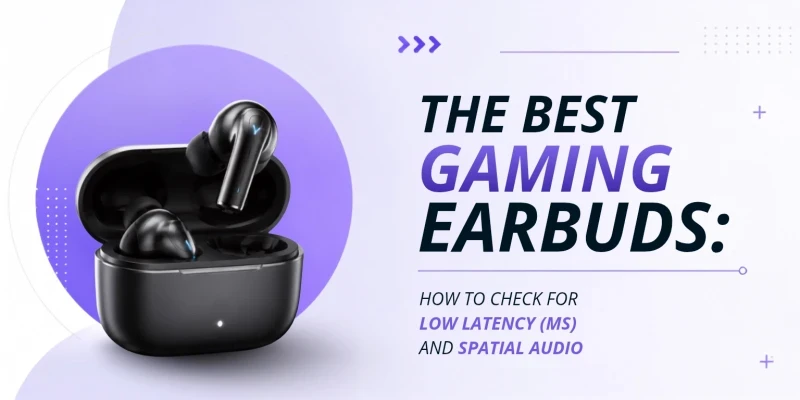
A few years ago, Bluetooth latency was bad enough that most mobile gamers in Bangladesh stuck to wired earphones. Not anymore. A good pair of wireless earbuds with game mode enabled now has 40 to 45ms audio latency, which is fast enough for competitive mobile gaming. The problem is knowing which specs matter, what the numbers actually mean, and where your money goes at different budget ranges.
If you are comparing regular wireless earbuds in Bangladesh with gaming-focused models, the biggest difference is usually latency, not just sound quality. This guide breaks it all down. No unnecessary jargon, just what you need to make a good buying decision.
What Makes an Earbud Good for Gaming?
Gaming earbuds need to do a few specific things that music earbuds don't prioritize. The audio has to arrive fast. A delayed footstep or explosion can cost you a match. Positional accuracy matters, so you can hear where sounds are coming from. And the microphone needs to work cleanly so your teammates can understand you. Comfort also matters during long sessions, so compare in-ear, half-in-ear, and open-ear earbuds before choosing a design.
None of that requires buying something with "Gaming" printed on the box. What it does require is understanding which specs to look for and which numbers actually tell you something useful.
What is Low Latency (MS)?
Latency is the delay between a sound happening in the game and you hearing it. MS stands for milliseconds; one millisecond is one thousandth of a second. In music, a 100ms delay is completely invisible. Nobody notices a slight gap before a song starts. It's different for gaming. When you hear an enemy footstep in-game, that sound needs to reach your ears in real time. At 150ms of latency, the footstep you just heard was three steps ago. You react to sounds that have already passed.
Standard Bluetooth earbuds without any optimization typically operate at 150-200ms. Most gaming earbuds with a dedicated game mode bring this down to 40-60ms. That gap is exactly why game mode exists.

How Much Latency is Acceptable for Gaming?
Here's a simple breakdown:
If it is casual mobile games like puzzles, RPGs, and sports, then under 100ms is ok. Getting less than 60ms is an actual win for PUBG Mobile and Free Fire. Typically, we'll aim for <40ms for PC FPS games at a competitive level.
One useful reference point: the average human reaction time to an audio cue is around 150-180ms. If your earbuds add 150ms to that, you're effectively reacting to a sound that's over 300ms old. In a fast-paced video game, that delay is too significant.
How to Check Earbud Latency Before Buying
A few things to look for when shopping:
Look for a stated ms figure in game mode. Reputable brands publish this number on the product page. If a brand calls something "low latency" without a specific ms value, that's a red flag.
Note standard mode vs game mode separately. Most earbuds have a latency of 150 to 200ms in standard mode. The game mode number is what counts for gaming. Check if both are listed.
Confirm game mode works wirelessly. Some budget earbuds only offer true low-latency over a 3.5mm cable, not over Bluetooth. That defeats the purpose for mobile gaming.
Check whether an app is required. Some brands have specific software that you need to download to activate the game mode. Know this before buying.
Read independent reviews. The latency measured by tech reviewers sometimes differs from the advertised figures. It is best to take the numbers in such reviews as more trustworthy.
- Test both earbuds after pairing. If sound works on only one side, try these five common TWS pairing fixes before assuming the unit is defective.

What is Spatial Audio?
Regular earbuds give you stereo sound: left and right. You can tell if a sound is coming from your left or your right side. That's the full extent of it. Stereo has no way to convey directions such as front, behind, above or below.
Spatial audio processes the audio signal to simulate three-dimensional positioning. Your brain picks up on audio cues that mimic how you naturally hear sounds from different directions in real life.
For gaming, this translates directly into gameplay. In PUBG Mobile or Free Fire, a player with good spatial audio can start rotating toward a sound before consciously registering what they heard. The positional cue reaches the brain faster than the thought process. That small advantage adds up over the course of a match.
Spatial Audio vs Stereo vs Dolby Atmos
Stereo is the standard format. Left and right channels only. Works everywhere, requires nothing extra. Most music and casual gaming audio is mixed in stereo.
Spatial audio is software-processed 3D sound. It can be handled by the earbuds, your phone, or the game itself. Quality varies widely. Good spatial audio is genuinely useful for FPS games. Cheap spatial audio processing can sound hollow and artificial. In such cases, plain stereo is often better.
Dolby Atmos is a specific format in which sounds are positioned as 3D objects within the mix. Games and movies with native Dolby Atmos content (Call of Duty: Mobile, some Netflix titles) sound noticeably different when Atmos is active. Enabling Atmos on content that wasn't mixed for it gives limited benefit.
For gaming, compare latency and spatial audio with codecs, microphone quality, comfort, and budget in our complete earbuds buying guide.

Features Gamers Have to Prioritize
Game Mode
This is the most important gaming feature to check. Game mode drops Bluetooth audio latency from 150-200ms down to 40-60ms. It's the spec that separates gaming-capable earbuds from everything else.
Some earbuds activate it through the companion app. Others use a button press on the earbud itself. Check how it’s activated before buying.
Bluetooth Version
Bluetooth 5.0 and above are adequate for gaming. Newer versions improve connection stability, reducing the likelihood of audio cutting out during long sessions. If you want a deeper look at the technical differences, read our guide on Bluetooth 5.0 vs 5.3: why the latest version matters for latency and battery. Bluetooth 5.3 handles connections more intelligently, which can help in environments with heavy wireless interference. Avoid anything below 5.0 for gaming.
Audio Codec Support
aptX or aptX Low Latency naturally reduces audio delay for Android users on Qualcomm-based phones. It also pairs well with game mode. For iPhone users: AAC is the standard codec, so game mode becomes more important to compensate for it. LDAC, however, must be avoided as it has very high latency of around 200 ms.
Codec support matters here, so compare SBC vs AAC vs aptX vs LDAC before choosing earbuds for gaming.
ANC and ENC
ANC (active noise cancellation) blocks outside sound for you. Useful in noisy environments for focus. It can add a small processing delay on some earbuds — worth turning off in competitive sessions if you notice any issues.
ENC (environmental noise cancellation) blocks out the unnecessary sounds entering the microphone, not your ears. It removes background noise from your voice during calls and in-game comms. In games requiring constant communication, this matters a lot. Your calls are useless if teammates can’t hear you properly amidst the background noise.
If you are confused between mic noise cancellation and ear noise cancellation, check our full ANC vs ENC guide.

Best Gaming Earbuds for Different Types of Gamers
PUBG Mobile
PUBG's audio engine is one of the best in mobile gaming. Footsteps have clear directional indications. Vehicles sound differently based on distance and direction. Gunshots carry distance information. Spatial audio makes all of this more usable. Recommended: earbuds with a good spatial audio implementation and game mode latency under 60ms. Nothing Ear (2) and Realme Buds Air 5 Pro are popular picks among PUBG players in Bangladesh for good reason.
Free Fire
Free Fire is more forgiving on latency than PUBG and requires less from the audio engine. Budget earbuds with game mode enabled are more than sufficient. Even entry-level options in the ৳2,000 to ৳3,500 range — like the Realme Buds Air 3 — can give Free Fire players a real advantage over stock phone speakers.
PC and Console FPS Games
On PC, the cleanest solution is wired earbuds. They have zero latency and zero Bluetooth interference. For wireless gaming on PC or console, look for earbuds with a USB dongle option, or aptX Adaptive Bluetooth paired with a compatible Qualcomm-based receiver. The game mode in the companion app usually handles this. Spatial audio from the game engine (most modern PC FPS titles include it) does the directional work regardless of the earbuds' own feature set.
Casual Gaming
Latency is not a big deal if you are playing casual mobile games like RPGs, strategy games, gacha games, etc. Any earbuds with a stable Bluetooth connection and decent sound quality will work. Save the budget for competitive titles where it actually changes outcomes.

Common Mistakes People Make When Buying Gaming Earbuds
Buying "gaming" branding without an ms spec. RGB lights and angular shapes don't decrease latency. If a product labelled gaming earbuds doesn't state a specific latency number, it's most likely standard Bluetooth latency (150ms or higher). The spec sheet tells you more than the design does. For affordable brand options, compare QCY vs Oraimo vs CMF based on features and value rather than branding alone.
Enabling LDAC before a gaming session. LDAC sounds excellent for music. But its latency of around 200ms actively hurts gaming performance. Switch to AAC or aptX before starting any game. Better audio quality at 200ms is worse than standard quality at 60ms.
Assuming spatial audio is always an improvement. Budget software-processed spatial audio often adds a hollow, echo-like quality that can ruin positional cues rather than sharpen them. Plain stereo is always better than bad spatial audio. see the 10mm vs 13mm earbud driver guide for the full explanation.
Skipping the microphone check. Earbuds that make you sound perfectly but make your comms unintelligible to teammates are still failing you in team games. Check whether the earbuds have ENC mic noise cancellation, and read reviews specifically about call and mic quality.
Overspending for casual use. A ৳30,000 pair of earbuds doesn't make mobile gaming meaningfully better than a ৳5,000 pair with game mode. The improvements at higher price points are mostly audio quality, ANC, and comfort — not gaming performance. Spend based on what games you actually play.

Best Gaming Earbuds in Bangladesh
The table below breaks down all the well-regarded options available in Bangladesh, organised by budget. Prices are approximate and may vary by retailer. All of the latency figures are stated for game mode. For a live product shortlist, browse the best earbuds for gaming in Bangladesh
A note on the budget tier: earbuds at ৳1,200 to ৳2,500 are best suited for casual gaming and background music during gameplay. For competitive PUBG or Free Fire, the Realme Buds Air 3 at ৳2,500 to ৳3,500 is the lowest-budget option that delivers genuinely game-ready latency.
Where to Buy in Bangladesh?
Ready to buy? SMS Gadget stocks a wide range of gaming and everyday earbuds across every budget — from entry-level picks under ৳2,000 to Sony and Samsung flagships. Every product comes with official warranty coverage. No grey-market risk, no spec-sheet guessing. Before ordering, learn how to spot fake earbuds in Bangladesh. Browse the full earbuds collection at SMS Gadget — and if you're unsure which earbud works with your phone and game setup, their team is happy to help you figure it out before you commit.
Frequently Asked Questions
Q1: How much latency is good for gaming?
For people who raise concerns with mobile gaming, 60ms is the magic number; competitive players want to be under 40ms, and anything above 100ms becomes noticeably disruptive, with late reactions and audio going out of sync with what you see.
Q2: Is 45ms latency good for gaming?
Yes. 45ms means Very Good, and with PUBG Mobile, Free Fire and most competitive titles, your ping bubble will not burst. This range is where most mid-range earbuds with game modes enabled tend to sit.
Q3: Is 60ms latency negligible in gaming?
60ms is fine for casual and mid-tier gaming. It may be felt by seasoned players during particularly intensely competitive multiplayer matches, in fast-paced situations where every split-second counts. With the mobile base in Bangladesh, 60ms is better than enough.
Q4: Is Game Mode really a latency-cutting mode?
Yes, significantly. Standard modes measure in 150 to 200ms for most earbuds. Actually, Game Mode cuts this down to 40 ~ 60ms using a much more direct (but also less faithful) form of Bluetooth connection. Start it before gaming every time.
Q5: Is spatial audio good for FPS games?
When implemented well, yes. Spatial audio improves your ability to hear where footsteps, gunshots, and vehicles are coming from — including behind you. In PUBG Mobile, that positional information is genuinely useful. Cheap spatial audio processing can be worse than plain stereo, so quality matters.
Q6: Does ANC increase latency?
It doesn't significantly impact the latency on a lot of other cheap(ish) earbuds that you might go out and buy. The effect is usually minor. Try turning off ANC and testing out to see if you notice any difference with competitive gaming, it might be worth it! Most earbuds these days can deal with ANC with negligible additional latency.
Q7: Which codec is best for gaming?
aptX Low Latency is the best option if your phone supports it (Qualcomm-based Android phones). aptX Adaptive is also excellent. For iPhone users, AAC with game mode enabled is the sound choice. Never use LDAC for gaming — its 200ms latency is too high regardless of audio quality.
Q8: Do I need gaming earbuds or regular earbuds?
You don't need earbuds specifically labelled "gaming". What you need is a low-latency mode, a decent microphone with noise cancellation, and stable Bluetooth. Many regular earbuds from Nothing, Realme, Samsung, and Sony meet these requirements. Gaming branding without a stated ms spec is mostly marketing.
Q9: Does Bluetooth version affect gaming performance?
For gaming, Bluetooth 5.0 and above are fine. The latest versions (5.3) also improve the stability of your connection, which prevents dropouts over longer sessions. You can learn more about how specific versions like 5.3 impact gaming latency here. Less so version number than whether the earbuds offer a proper game mode, which would carry a quoted latency.
Q10: Are wireless earbuds good for competitive gaming?
For mobile competitive gaming, yes — modern wireless earbuds with 40ms game mode latency are fast enough. For PC competitive gaming at the highest level, wired is still preferred because it eliminates Bluetooth latency entirely. But for 99% of mobile gamers, good wireless earbuds with game mode on are perfectly competitive.
Q11: How do I check earbud latency before buying?
Check the product page or spec sheet for game mode latency in ms. If no number is published, assume standard Bluetooth latency (150ms+). Independent latency measurements are also carried out by tech review sites, and their numbers beat advertising claims every time.
Q12: Is spatial audio worth it for mobile games?
It depends on the game. For spatial audio, you have the real direction in PUBG Mobile, Free Fire and other FPS-style titles. With puzzle games, RPGs, or sports games this is a nice bonus but no real edge. Game mode and codec support come first, along with spatial audio.
Disclaimer: Prices are approximate and subject to change. For current stock and pricing, visit SMS Gadget.